


When it comes to crafting and visualizing spaces, utilizing a floor plan creator is essential for any designer. One of the key components of effective designs is the precise printing of measurements, ensuring that your plans are not only aesthetically pleasing but also functional. Whether you are an interior designer or simply a homeowner, knowing how to print your floor plans with exact measurements can significantly improve your design process. This is where Homestyler comes into play, providing you the tools needed for accuracy and efficiency.
Grasping Floor Plan Measurements
Before initiating the printing process, it’s vital to comprehend the various measurements involved in floor plans. These primarily encompass room dimensions, doorways, windows, and furniture arrangements. Employing a floor planner like Homestyler allows you to visualize these measurements with precision, giving you a comprehensive understanding of how all components integrate.
Simple Steps to Print Your Floor Plan with Measurements
To successfully print your floor plan, adhere to these straightforward steps. First, confirm that your floor plan is finalized and all measurements are precise. Then, review the settings in your floor plan creator, ensuring there’s an option to include measurements in your print layout. Finally, select the appropriate paper size and orientation, guaranteeing that every detail remains clear and readable.
The Importance of Accurate Measurements
Having accurate measurements in your printed floor plan can significantly impact the success of your design project. They help avert expensive errors by ensuring that each aspect of your design fits as planned. Additionally, possessing a printed version complete with measurements allows for convenient reference during conversations with clients or contractors.
Frequently Asked Questions
1. Can I customize the measurements shown on my floor plan? Yes, most floor plan creators, including Homestyler, enable you to tailor the measurements that you wish to display when printing.
2. What paper size is ideal for printing floor plans? A3 or A2 paper sizes are generally recommended for detailed floor plans, as they provide sufficient space for both measurements and intricate details.
3. Can I print in color to emphasize measurements? Absolutely! Using color during printing can help distinguish between different elements, accentuating your measurements effectively.
Welcome to Your Go-To Floor Plan Creator
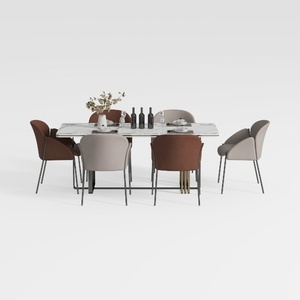
Modern Marble Top Metal Frame Dining Table Set with Fabric Chairs 3D Model


Round Oak Wood 60 in. Column Base Dining Table Sea
Discover your home’s potential with Homestyler! This user-friendly online design platform offers an intuitive design tool, stunning 3D renderings, and a wealth of DIY video tutorials. Whether you're a novice or a pro, you can effortlessly transform your vision into a reality. Start creating your dream space today!
Desain sekarang Gratis
































