

Have you ever experienced the annoyance of losing your designs while working on a floor plan creator? This is a problem that many users encounter, and comprehending the factors at play can help you prevent future setbacks. Whether you are using a free online platform or dedicated design software, it is essential to ensure that your work is consistently saved for successful design endeavors. In this article, we will delve into effective strategies and solutions to help you safeguard your floor plans and protect the efforts you have invested.
Frequent Reasons Why Your Floor Plan Creator Fails to Save Your Progress
There are numerous reasons your floor plan creator may struggle to save your progress. An unreliable internet connection is often a major factor. For online tools, any interruption in connectivity might hinder your work from being saved. Moreover, certain applications may require you to manually save your creations, so it’s vital to understand the functionalities of your chosen software. Additionally, reviewing your browser settings is advisable, as cache problems can occasionally interfere with saving processes.
How to Securely Save Your Floor Plans
To prevent the loss of your designs, it is crucial to save your work frequently. Most floor plan creators, including Homestyler, offer an autosave feature that can be activated. It is wise to test your tool by creating a basic design and verifying if the autosave function is working. Another recommended strategy is to periodically export your floor plans to keep a backup on your device, which significantly reduces the risk of losing valuable files.
When to Seek Assistance
If you continue to experience problems, it might be beneficial to seek help. Look into the support resources available with your floor plan creator or consider joining forums and communities where users share their solutions. In some cases, simply reinstalling the application or clearing your browser’s cache can resolve the problems. Don’t hesitate to reach out for assistance; many users have successfully navigated similar hurdles.
FAQ
What steps should I take if my floor plan creator is unable to save my work? Ensure your internet connection is stable and verify whether the software features an autosave option. Should problems continue, consider regularly exporting your design to protect your work.
Is it possible to recover unsaved work in a floor plan creator? Depending on the specific software, there may be recovery options for unsaved work. Be sure to consult their support documentation for detailed recovery procedures.
Welcome to the Leading Floor Plan Creator


Modern Two Tone Solid Wood Nightstand 3D Model
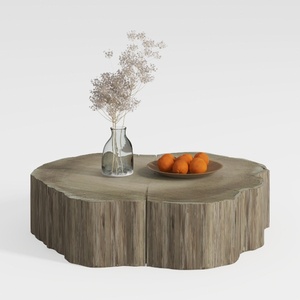

Rustic Solid Wood Stump Coffee Table Natural Organic Design 3D Model
Looking to transform your space? Homestyler is your go-to online home design platform! With an easy-to-use design tool, stunning 3D renderings, and inspiring video tutorials, you can effortlessly create and visualize your dream interior. Dive into your design journey today!
今すぐ无料でデザイン
































