

If you're curious about how to incorporate 3D models into Google My Maps, you're not alone; this is a common hurdle for many users looking to showcase their designs on a map. The primary issue is that Google My Maps lacks native support for 3D models. Fortunately, there are several effective strategies to include your three-dimensional elements in an accessible manner.
Recognizing the Constraints of Google My Maps
Google My Maps is primarily designed for 2D data visualization, supporting formats like points, lines, and polygons. Unfortunately, it does not allow for direct uploads of 3D models. This restriction often leads to frustration for users who wish to display three-dimensional representations of structures or terrains.
Consequently, it is crucial to acknowledge this limitation and to seek alternative methods for embedding your 3D models within your mapping endeavors.
Creative Methods for Displaying 3D Models
1. **Utilize KML Files for 3D Integration:** One effective approach is to transform your 3D models into KML (Keyhole Markup Language) files. You can link these files in your My Maps project. While this won't visually render them in 3D directly within My Maps, it enables you to place visual markers at key locations.
2. **Insert Links to 3D Modeling Platforms:** If your 3D models are hosted on platforms such as Sketchfab or 3D Viewer, you can include links to these models within the descriptions of your placemarks. This allows users to seamlessly view the 3D representations while navigating your My Maps.
Best Practices for Integration
When incorporating 3D models into Google My Maps, it's essential to consider your audience. Provide concise descriptions and straightforward instructions on how to access your linked 3D models. Additionally, optimize your 3D files for online viewing to ensure swift loading times.
Questions and Answers
Q: Is it possible to directly upload 3D models to Google My Maps? A: No, Google My Maps does not permit direct uploads of 3D models. Instead, consider using links or KML files to share your work.
Q: How can I effectively share my 3D models? A: The best option is to host them on a dedicated platform like Sketchfab and provide links within your My Maps project, ensuring easy access for viewers.


Minimalist Fabric Wooden Hanging Hammock Chair 3D Model

Modern Olive Green Velvet Tufted Solid Wood Base Armchair 3D Model
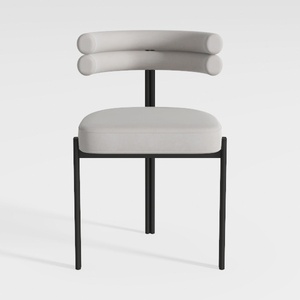
EALSON Round Upholstered Dining Chairs Set of 2
Homestyler is your go-to home design platform! With an easy-to-use online design tool, stunning 3D renderings, and a wealth of design projects and DIY tutorials, you'll transform your space like a pro. Unleash your creativity and make your dream home a reality!
立即免费设计
































