

Roblox stands as an innovative platform for creating user-generated games and experiences, remarkably enhanced by its support for 3D models. Whether you are a budding developer designing a fresh game or an artist eager to display your work, incorporating 3D models into Roblox can elevate your projects by adding distinctive environments, props, and characters. Here’s a comprehensive step-by-step guide to assist you in this process:
From a designer's viewpoint, the addition of high-caliber 3D models can visually distinguish your Roblox project. Effective spatial organization and realistic model design play a crucial role in shaping user perceptions of your environments. If you are thinking about more sophisticated spatial configurations or aspire to transform your imported models into elaborate layouts, utilizing professional tools like a 3D floor planner—such as Homestyler—can greatly aid in visualizing and refining your concepts before implementing them into Roblox. This ensures that your spaces not only look remarkable but also function seamlessly.
Tips 1:
Prior to importing, it is essential to optimize your model by reducing polygon counts and adjusting texture sizes to maintain smooth gameplay, especially for users on lower-end devices. Employing proper naming conventions and effective hierarchy management will help you keep complex models organized.
FAQ
Q: What file formats are compatible with Roblox Studio for 3D models?
A: Roblox Studio permits the importation of 3D models in .FBX and .OBJ file formats.
Q: How can I ensure my imported model displays correctly in Roblox?
A: After importing, verify the mesh scaling, restore any missing materials, and make adjustments to UVs as necessary to ensure the model appears as intended.
Q: Is it possible to import textured 3D models into Roblox?
A: Yes, you can import textured models, but you need to upload and apply textures separately within Roblox Studio after the base mesh import.
Q: Are there limitations regarding the size or complexity of 3D models I can bring into Roblox?
A: Roblox advises optimizing your models for seamless performance: utilize fewer polygons and smaller textures for optimal outcomes.
Q: Can I animate my imported 3D models in Roblox?
A: Absolutely! You can create and manage animations using Roblox’s animation system after importing the rig or parts of your model.

Modern Olive Green Velvet Loveseat Sofa with Metal Legs 3D Model
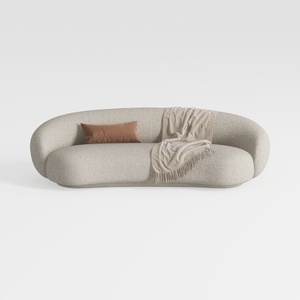

Minimalist Boucle Fabric Curved Sofa With Throw Pillow And Blanket 3D Model
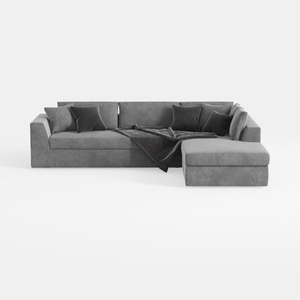
Minimalist Gray Fabric Sectional Sofa with Throw Pillows and Blanket 3D Model
Discover the ease of home design with Homestyler! This fantastic online platform offers a user-friendly design tool, stunning 3D renderings, and a wealth of design projects and DIY tutorials. Transform your space effortlessly and unleash your creativity today!
Design jetzt kostenlos
































