

If your display has unexpectedly shifted to portrait mode, there's no need to panic—this is a frequently encountered problem and can be easily remedied. On most Windows devices, you can swiftly revert to landscape orientation by pressing the Ctrl + Alt keys together, followed by the Up Arrow key. If this shortcut fails to work, you can right-click on your desktop, choose "Display settings," and navigate to the "Display orientation" dropdown. Select "Landscape" and hit "Apply" to complete the process. For Mac users, simply head to "System Preferences" > "Displays" and modify the rotation settings if available. Following these guidelines should enable you to restore your screen to its normal orientation.
Tips 1:
As a designer, I frequently toggle between landscape and portrait modes for various tasks. However, for routine use, particularly when visualizing room layouts, landscape orientation provides the optimal horizontal space. This scenario is essential when utilizing design tools like Homestyler, as it enhances both clarity and creative versatility.
FAQ
Q: What keyboard shortcut can I use to revert my Windows screen back to landscape mode?
A: You should try the keyboard combination Ctrl + Alt + Up Arrow. If this doesn't resolve the issue, you can adjust the settings through Display Settings.
Q: Where can I access screen orientation settings on a Windows computer?
A: Right-click on your desktop and select "Display Settings" to locate the "Display orientation" option.
Q: Is it possible to lock my screen orientation to avoid unintended changes?
A: Absolutely, there is typically a feature labeled "Rotation lock" found in Display Settings, especially on tablets and certain laptops.
Q: My Mac screen has rotated—what should I do to correct it?
A: Navigate to System Preferences > Displays and look for any rotation options. Be aware that not all Mac devices support screen rotation features.
Q: What causes my screen to rotate unexpectedly?
A: Often, accidental key presses or alterations in settings lead to unexpected screen rotations; this is particularly common with keyboard shortcuts.
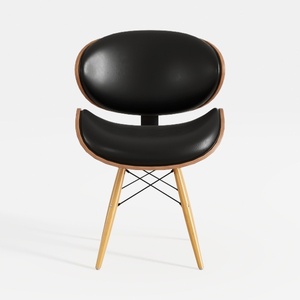
chair-Feb.Chen-in
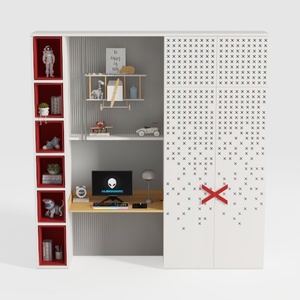

BAKAJI Scrivania con Doppia Libreria 7 Ripiani Tavolo da Lavoro Porta Pc Computer Struttura e Piano in Legno MDF Arredamento Casa Ufficio Cameretta Design Moderno 120 x 60 x 148 cm (Red)

Minimalist Boucle Fabric Accent Chair 3D Model
Discover Homestyler, your go-to online home design platform! With its user-friendly design tool, stunning 3D renderings, diverse design projects, and helpful DIY video tutorials, you'll effortlessly transform your interior spaces into a dream home. Bring your ideas to life today!
Progetta ora GRATIS
































