

The process of extracting game models for 3D printing requires a blend of technical expertise, creativity, and a sharp eye for detail. Initially, it's important to recognize that many game models are under copyright protection. Therefore, extraction should be limited to personal projects or executed with the proper permissions. The typical workflow entails identifying the game's directory structure, utilizing extraction tools to retrieve model files, converting these into suitable 3D printable formats, and preparing them for the 3D printing process.
To begin, examine the folder structure of the game—often, models are stored in unique formats within their installation folders. Tools such as NinjaRipper, AssetStudio, or QuickBMS can be employed to extract these models. Following extraction, you will generally encounter formats like .FBX, .OBJ, or .DAE, which are compatible with various 3D modeling software like Blender or MeshLab for refinement. After cleaning the mesh by removing excess geometry and confirming the model is watertight, you can convert it to STL or OBJ formats for 3D printing. Remember to appropriately scale and orient your model for your specific printer settings and slicing software.
As a designer, I highly encourage conducting a visual review of the topology and surface details of game models prior to printing. Many models are designed for visual fidelity in software as opposed to physical durability or print-ability. Adjustments may be necessary, such as reinforcing walls, adding supports, or enhancing parts that require extra stability. These modifications can be likened to space planning or arranging furniture in an interior design project; successful transitions from digital designs to tangible objects necessitate careful consideration of space, materials, and practical constraints. Utilizing tools like Homestyler can greatly inspire you, as it assists in visualizing how these elements fit together in both virtual and physical realms.
Tips 1:
Maintaining effective file management is crucial—ensure that extracted models are organized, backed up, and properly documented for any changes. A workflow checklist can be invaluable, confirming that every model is thoroughly optimized for 3D printing, thus reducing the likelihood of frustration and print failures.
FAQ
Q: Is it permissible to extract and 3D print game models?
A: Generally, extracting and printing models is limited to personal uses due to copyright laws. Always review the game's terms and respect the rights of intellectual property holders.
Q: Which software is necessary for converting game models into printable files?
A: Common software options for cleaning and converting models include Blender, MeshLab, and Meshmixer, along with slicer programs that work seamlessly with your 3D printer.
Q: How can I ensure that the extracted model will successfully print?
A: Confirm that the geometry is manifold (watertight mesh), eliminate unnecessary detail, and add supports where necessary. Perform test print previews using your slicing software to verify.
Q: What file formats are compatible with 3D printers?
A: Most 3D printers accept STL or OBJ files, so ensure that your extracted and cleaned model is exported in one of these formats for printing.
Q: Am I allowed to use game models in commercial projects?
A: No, utilizing extracted models for commercial purposes without permission infringes on copyright laws. While many artists share fan art and prints, it is essential to obtain appropriate permissions before any commercial usage.
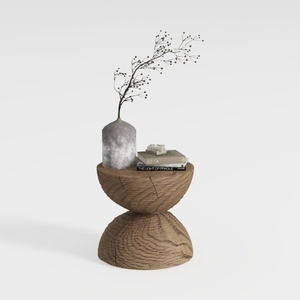
Minimalist Solid Oak Wood Side Table Unique Hourglass Shape 3D Model


Modern Brown Leather L-shaped Sectional Sofa With Throw Pillows 3D Model

Minimalist Linen Fabric Extra Large Sofa With Throw Pillows And Blanket 3D Model
Homestyler is your go-to online design tool for transforming your home. With stunning 3D rendering, inspiring design projects, and easy-to-follow video tutorials, you can confidently create and visualize your dream space—all while enjoying a user-friendly experience. Get started today!
Design Now for FREE
































