


Extracting 3D models from Fallout New Vegas provides enthusiasts, modders, and designers the opportunity to tap into the game's assets for various personal endeavors, such as mods, digital art, or mastering 3D design skills. Though the game files are not immediately compatible with standard 3D modeling software, there are specialized tools and methods that enable the extraction and conversion of these models for creative purposes. Here’s a step-by-step guide on how to accomplish this.
As a seasoned designer, it’s crucial to focus on model topology and texture mapping during the import process—especially if you plan to utilize these assets in new scenes or for educational objectives. Clean topology significantly improves both the quality of the render and the flexibility of your workflow. For those who want to recreate environments or conceptualize new spaces influenced by the aesthetics of Fallout New Vegas, incorporating these assets into a 3D Render Home setup, like Homestyler, allows for engaging visualizations and quick prototyping.
Tips 1:
Always adhere to intellectual property rights—use the extracted models solely for personal projects or educational enhancement unless you have explicit permission for wider use. Instead of using them as direct commercial assets, consider leveraging the converted meshes to spark inspiration. For optimal results, keep your asset library organized and document your extraction and conversion processes. This kind of design methodology results in smoother creative workflows and superior-quality outcomes.
FAQ
Q: In what format are models from Fallout New Vegas stored?
A: Primarily, they are stored in the .nif (NetImmerse/Gamebryo) format within .bsa archives.
Q: What is the best tool for previewing and exporting NIF models?
A: NifSkope is excellent for viewing, modifying, and exporting .nif files to more widely used 3D formats like .obj.
Q: Can Fallout New Vegas models be imported directly into Blender?
A: Yes, utilizing the Blender NIF plugin allows you to import, edit, and export .nif files within Blender.
Q: Are there legal limitations when utilizing extracted models?
A: Indeed, extracted models should only be used for personal, educational, or modding purposes; commercial use necessitates rights from Bethesda.
Q: How can I find textures for Fallout New Vegas?
A: You can typically extract textures from the 'textures' folders located in the .bsa archives, and they are usually in .dds format.
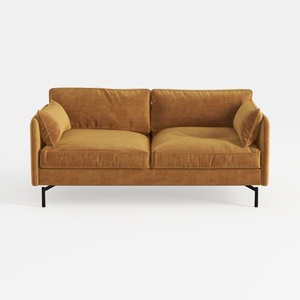
Modern Velvet Upholstered 2 Seater Sofa With Black Metal Legs 3D Model

Modern Minimalist Fabric U Shaped Sectional Sofa 3D Model
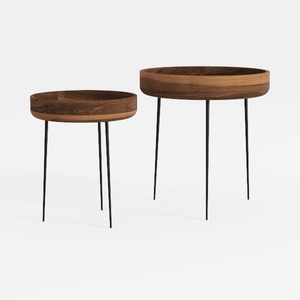

Modern Walnut Solid Wood Metal Leg Nesting Side Tables 3D Model
Homestyler is your go-to online home design platform! With its easy-to-use design tool, stunning 3D renderings, and an array of inspiring design projects and video tutorials, you can effortlessly transform your space into a dream home. Start creating today!
Concevez maintenant gratuitement
































