


If you’re curious about how to extract 3D models from Chrome, you’re certainly not the only one. Numerous designers and developers seek methods to access and utilize 3D assets directly through their browsers, greatly improving their projects' quality.
Before we proceed, let’s discuss the significance of extracting these models. Are you aiming to create an immersive gaming atmosphere or perhaps an eye-catching presentation? Understanding your objectives will help streamline your extraction process.
Grasping 3D Models in Chrome
3D models found in Chrome are frequently embedded via WebGL or facilitated by various extensions. By comprehending how these models are rendered, you can discover effective techniques for extraction.
To begin, inspect the webpage housing the 3D model. Simply right-click the page and select 'Inspect,' or use the shortcut Ctrl+Shift+I (Cmd+Option+I on Mac). This will launch the Developer Tools, allowing you to navigate through the elements present on the page.
How to Extract 3D Models
1. **Utilize WebGL Inspector**: This well-known tool assists in visualizing and extracting content rendered with WebGL. Install the WebGL Inspector extension from the Chrome Web Store, and when it's operational, visit the 3D model page to track the data being loaded for the model.
2. **Look for the Model URL**: Frequently, the 3D model is directly linked. Within the Developer Tools' Network tab, filter by 'XHR' to locate any active requests. Search for common file formats such as .obj, .fbx, or .gltf; you may discover the model you desire.
Strategies for Effective Extraction
**Patience is essential**: Some 3D models possess intricate designs that may require time to extract properly.
**Always honor copyright**: Ensure any models you extract are utilized in compliance with applicable laws and ethical guidelines.
**Experiment with different browsers**: Occasionally, switching to browsers like Firefox or Safari may provide more favorable outcomes based on the model’s format.
Frequently Asked Questions
Q: Am I able to extract 3D models from any website?
A: Not all websites permit the extraction of models. Some may impose legal restrictions or use proprietary formats that inhibit the process.
Q: What applications do I need to modify the extracted models?
A: Applications like Blender or SketchUp can be utilized to edit and manipulate the extracted 3D models effectively.
Consider Documenting Your Process:
Think about creating a detailed guide on the extraction process to assist others encountering similar challenges. Sharing insights regarding common pitfalls and effective techniques can nurture a collaborative spirit among designers and developers, enhancing the community's overall growth.
Frequently Asked Questions
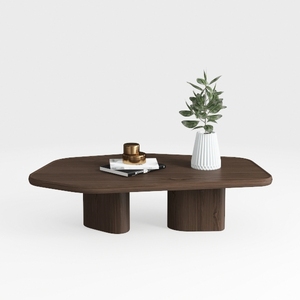
Minimalist Walnut Solid Wood Irregular Coffee Table 3D Model
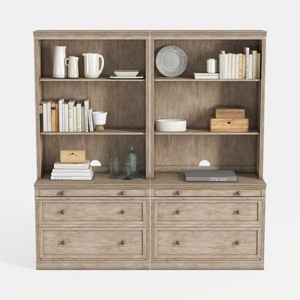
Rustic Solid Wood Bookshelf Cabinet With Drawers Storage 3D Model

Minimalist Solid Wood Round Coffee Table 3D Model
Homestyler is your go-to platform for home design! With its easy-to-use online design tool, stunning 3D rendering, and a wealth of DIY video tutorials, you can effortlessly transform your living space. Start your design journey today and unleash your creativity!
Progetta ora GRATIS
































