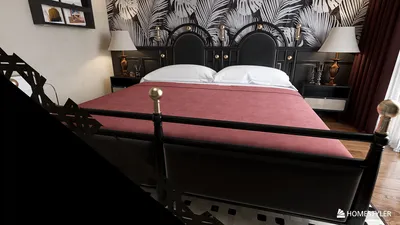


Extracting colors from photographs can significantly enhance your design projects by offering a precise palette that mirrors the original image. In this guide, you will discover how to efficiently extract colors and incorporate them into your designs, which will ensure that even your compact spaces appear cohesive and thoughtfully designed. With tools like Homestyler, this process becomes even more accessible and user-friendly.
Why is Color Extraction Essential?
Grasping the significance of color extraction can transform your approach to designing spaces. Have you ever entered a room that simply felt off? Perhaps the colors clashed or didn’t harmonize as they should? By extracting colors directly from your inspirational photographs, you can establish a color scheme that truly aligns with your creative vision.
Additionally, color extraction allows you to create mood boards that encapsulate the essence of your favorite images. This method provides a practical preview of the colors before you commit to paint or fabric choices, making the design process smoother and more enjoyable.
Techniques for Extracting Colors from Photos
There are various methods to extract colors from photos, utilizing online tools, desktop software, or mobile applications. Let’s delve into some of the most effective techniques available:
Numerous online platforms let you upload your photo and view the dominant colors instantly. Tools like Canva, Adobe Color, and Coolors can assist you in creating a palette swiftly. By simply uploading your image, these services will generate a color palette based on the tones present in your photo.
If you seek more detailed control, software like Adobe Photoshop provides extensive capabilities. By utilizing the Eyedropper tool, you can select a color directly from your photo. This method ensures precision, especially when dealing with high-resolution images, allowing for exact color matching.
For mobile color extraction, applications such as ColorSnap and ColorMind prove incredibly useful. With a simple tap, you can capture colors from photos taken with your smartphone, making it easy to seize inspiration whenever inspiration strikes. This flexibility is enhanced by platforms like Homestyler, which integrate color tools seamlessly.
How to Implement Extracted Colors in Your Designs
Once you have extracted your color palette, the next step is to utilize it effectively in your designs. Remember, color can significantly influence mood and the perception of space.
Think about applying your color palette to wall paint, furnishings, and accessories throughout your home. For instance, if you’ve extracted a soothing blue from your favorite coastal image, this color can serve as an excellent foundation for a tranquil bedroom setting, enhancing your overall design vision.
Strategies for Effective Use of Color
When integrating colors into your designs, consider aspects of balance and contrast. Lighter shades can open up small areas, while darker shades can create inviting corners. Achieving visual balance is key to ensuring your space feels pleasant and not overwhelming.
Common Queries
Q: What is the most efficient way to extract colors from high-resolution images? A: The most effective method is to use advanced software like Adobe Photoshop or specialized online tools that cater to high-resolution uploads.
Q: Can I use extracted colors for digital design projects? A: Definitely! Extracted colors are perfect for digital projects such as web design and graphic creation, allowing for continuity in branding and ensuring your work resonates with your audience.


Homestyler is an outstanding online design platform that empowers you to create stunning spaces effortlessly. With its intuitive design tool, remarkable 3D renderings, and a treasure trove of DIY video tutorials, transforming your home is both simple and enjoyable. Unlock your creativity today!
立即免费设计
































