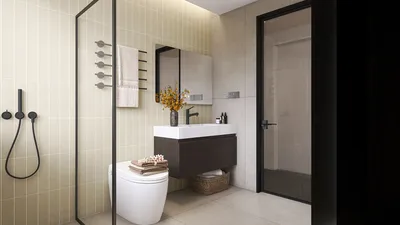


Integrating a 3D model into your HTML can greatly boost the interactivity and visual attractiveness of your website. In the current digital age, crafting an engaging user experience is essential for keeping visitors on your site. This guide provides a detailed approach to effectively embed 3D models in your web pages, highlighting key steps and best practices throughout the process, including the use of tools like Homestyler for design enhancement.
Step 1: Select the Right 3D File Format
Choosing the right file format for your 3D model is crucial before you begin the embedding process. Popular choices for web usage include .obj, .glb, and .stl. To ensure your model loads swiftly and effectively, optimization for web use is necessary, which aligns with both aesthetic appeal and performance requirements.
Step 2: Incorporate a 3D Library
Using a powerful library like Three.js can simplify the embedding of your 3D model significantly. Here’s a straightforward example to get you started:
Initially, make sure to add the Three.js library to your HTML document, as it equips you with the essential tools for effectively handling 3D graphics.
Once you have included the library, the next step is to set up a scene, a camera, and a renderer, which are necessary to present your 3D model accurately.
Step 3: Import Your Model
After establishing your scene, the subsequent step involves loading your model using the correct loader compatible with your selected file format. For example, if you opt for the .glb format, you will need to utilize the GLTFLoader:
Then, load your model file and seamlessly add it to the scene with the appropriate command:
Step 4: Render Your Scene Continuously
Ultimately, creating a render loop is vital to continuously display your scene. Without this loop, users will be unable to view your 3D model:
Frequently Asked Questions
Q: Which is the optimal 3D file format for web applications? A: The .glb format is often preferred for web applications due to its compact size and support for animations, which helps maintain a balance between performance and visual fidelity on your website.
Q: Is it possible to embed 3D models without any libraries? A: Yes, embedding 3D models without external libraries is feasible. However, using libraries such as Three.js significantly streamlines the integration process, giving you access to a broader array of features and enhancements for 3D representation, similar to those provided by Homestyler in design contexts.

Wood Bookshelf with Adjustable Shelves, 72" Tall
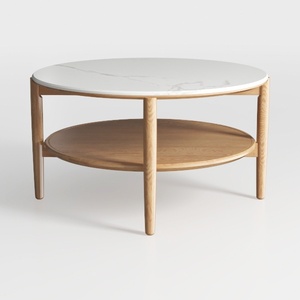
Minimalist Marble Top Solid Oak Round Two Tier Coffee Table 3D Model
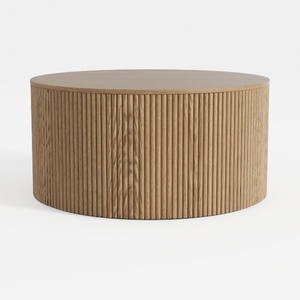
Minimalist Fluted Solid Oak Round Coffee Table 3D Model
Discover your creative side with Homestyler! This amazing online home design platform offers an intuitive design tool, stunning 3D rendering, and a treasure trove of design projects and DIY video tutorials. Perfect for shaping your dream space, it's user-friendly and inspiring for all skill levels!
Concevez maintenant gratuitement
































