


Are you prepared to exhibit your creative designs to a broader audience? Utilizing platforms like Homestyler provides an excellent opportunity to share your models with users worldwide. In this detailed guide, we will outline the essential steps to quickly and effectively upload your creations, ensuring you enhance visibility and interaction.
Step 1: Ready Your Model for Optimal Impact
Before you proceed with uploading your model, it is vital to ensure that it is well-formatted and polished. This means eliminating any unnecessary geometry that might slow down performance, as well as confirming that your textures are applied correctly to improve visual appeal. Presenting your model in the best possible light will leave a memorable impression on your audience!
Step 2: Log into Your Homestyler Account
Once your model is prepared, the following step is to sign into your Homestyler account. If you don’t have one yet, creating an account is a straightforward and quick process. After you log in, head straight to the upload section from your dashboard to begin the uploading process.
Step 3: Effortlessly Upload Your Model
To upload your creation, simply click on the 'Upload New Model' button. You will then need to select the file from your device. Make sure that your model adheres to the necessary file formats—such as SKP for SketchUp, which many users prefer. After you choose your file, increase your model’s searchability by crafting a captivating title, a thorough description, and applicable tags. This will make it easier for others to find your work.
Step 4: Publish and Share Your Masterpiece
After you’ve completed all the required fields, click the publish button. Keep in mind that processing your model may take a short while, so patience is essential. Upon successful publication, you will receive a confirmation notification along with a unique link to your newly uploaded model, making it easy for you to share it with others.
Frequently Asked Questions (FAQ)
Q: Which file formats can I upload to Homestyler? A: Accepted file formats include SKP, 3DS, and several other popular options; however, SKP is the most commonly utilized format among SketchUp users due to its compatibility.
Q: Is it possible to make changes to my model after I've uploaded it? A: Certainly! You can edit the title, description, and tags of your model even after it has been published, allowing you to refine and enhance its presentation whenever necessary.

Minimalist Concrete Potted Dried Foliage Plant 3D Model

Natural Live Edge Solid Walnut Coffee Table Top 3D Model
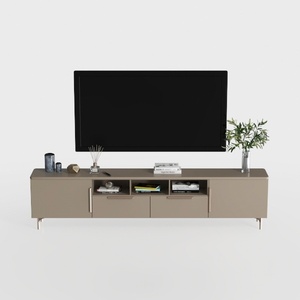
Modern Minimalist Solid Wood TV Stand Cabinet with Storage 3D Model
Homestyler is your go-to online platform for effortless home design. With its user-friendly design tool, stunning 3D renderings, a plethora of inspiring design projects, and easy-to-follow video tutorials, transforming your space has never been more exciting. Dive into your DIY journey today!
Concevez maintenant gratuitement
































