


Downloading 3D models from Google Earth can significantly elevate your design projects. However, the extraction process is not always straightforward and necessitates following a few specific steps. In this guide, I’ll provide you with a comprehensive walkthrough, complete with valuable insights and tips, to ensure you make the most of these resources in your creative endeavors.
First and foremost, ensure that Google Earth Pro is installed on your computer. This free version offers enhanced functionalities, including the capability to save and export 3D models. If you haven't already acquired it, it is readily available on the official Google Earth website. This robust tool serves as your access point to an extensive range of geographical data and 3D visualizations that can enhance projects utilizing platforms like Homestyler.
Accessing 3D Models
After launching Google Earth Pro, navigate to the location you wish to analyze. Utilize the search bar or manually scroll and zoom to find the 3D buildings you intend to download. It’s crucial to get sufficiently close to see the 3D view distinctly—look for highlighted buildings; if they cast shadows, this indicates they are available for download. Engaging with this feature can offer various perspectives and data beneficial for your design projects.
Saving the Models
Here's a step-by-step guide to saving 3D models from Google Earth:
Once Google Earth Pro is active, direct yourself to the building or area you are interested in.
Activate the 3D buildings layer by selecting the corresponding box in the Layers panel—this step is essential for gaining access to building data.
Right-click on the desired location and select 'Save Place As.' Make sure to choose the .kmz format, which encapsulates details of the 3D model along with necessary textures.
Converting .kmz to 3D Formats
To effectively use the saved file in your design application, you may need to convert the .kmz file into a format that is more widely supported, as .kmz is not universally compatible with many 3D design programs. Online converters or software such as SketchUp can be utilized to import the .kmz file and export it in formats like .obj or .fbx, which are better suited for industry-standard design tools. This conversion is vital to ensure your designs fit seamlessly into your intended applications, including those in Homestyler.
FAQ
Q: Is it legal to use the models I download? A: Always review the licensing terms associated with the models you download. Google Earth's 3D models may have specific restrictions on use, including limitations for commercial and personal projects. It's imperative to adhere to these licensing agreements to prevent any legal complications.
Q: What software can open .kmz files? A: You can utilize software like Google Earth Pro, SketchUp, or any GIS applications that support .kmz file formats. Compatibility can vary, so it’s wise to confirm the capabilities of the program before investing time in the conversion process.

Minimalist Neutral Fabric Irregular Coffee Table 3D Model
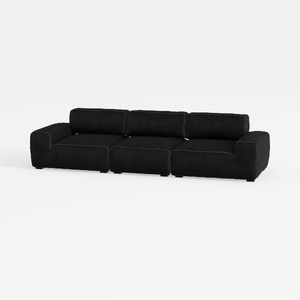

Minimalist Black Fabric Modular Sofa 3D Model

Homestyler is your go-to online home design tool! With stunning 3D renderings, an array of design projects, and helpful DIY video tutorials, it's perfect for anyone looking to create their dream space easily and intuitively. Transform your home design ideas into reality today!
Design Now for FREE
































