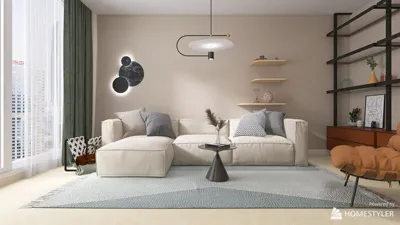


When designing gaming rooms, I apply the same focused approach as I do for high-performing work areas: prioritizing visual comfort, optimal ergonomics, sound control, and layouts that center around human needs. Creating a detailed 3D model is essential; it transforms these design choices into a tangible format before any purchases are made. Evidence shows that spatial clarity and comfort enhance user performance—research by Steelcase indicates a strong link between finely-tuned environments and improved focus and engagement. Furthermore, the WELL v2 standard emphasizes visual ergonomics as a fundamental aspect of healthy spaces. My modeling process tests sightlines, cable layouts, temperature zones, and seating arrangements long before any installations occur.
Effective lighting can yield benefits in milliseconds. The Illuminating Engineering Society (IES) suggests that task lighting should fall within the 300-500 lux range for work desks, highlighting the importance of glare control. For gaming setups, my goal is to achieve approximately 350-450 lux at the desk, complemented by ambient lighting around 150-250 lux, while maintaining a color temperature between 3500-4500K to support alertness without excessive blue light. The WELL v2 standard also recognizes the significance of adjustable lighting for comfort and alignment with circadian rhythms. Research into color psychology indicates that cool colors promote calmness and focus; therefore, I save vivid RGB effects for side walls to prevent eye strain instead of focusing them on active task areas. Utilizing a room layout tool simplifies the visualization of furniture and cable arrangements without guesswork.
Fundamental Principles for Crafting a High-Performance Gaming Room
Each design choice in the 3D model should be grounded in human factors and behaviors. I begin by examining sightline physics: the main monitor should ideally sit 15-20° below neutral eye level, with the viewing distance set at 1.5-2.5 times the diagonal size (for instance, a 27" monitor at about 40-65 cm) and multiple monitors should be arranged in a gentle curve to minimize head rotation to under 30°. Chair height should allow forearms to rest parallel to the desk; the height of the keyboard tray should ideally be around 26-28" for most adults, with wrists held neutral. Planning for cable and airflow is crucial—choosing top-vented cases assists in avoiding obstructions, and the model maps hot spots to prevent exhausting air from being trapped behind walls or heavy drapes.
Layered Lighting: Ambient, Task, and RGB Effects
I approach lighting design as I would audio mixing: ambiance serves as the foundational level, task lighting provides clarity, and accent lighting sets the mood. Focusing diffused light behind monitors can help mitigate stark contrast and decrease eye fatigue. To prevent glare on screens, I position lights outside the reflection angle using matte finishes. Adjustable white task lights are optimal at 4000K for fast-paced games; I prefer warmer tones (3500K) for late-night gameplay. RGB lighting enhances atmosphere but should be used subtly and kept adjustable. Dimming controls are essential to stay within the IES recommendations for light levels while avoiding overly bright environments.
Sound Control That Maintains Aesthetic Appeal
Gaming rooms benefit from short, well-managed reverb, which is essential for clear voice communications and spatial audio accuracy. I strive for a well-balanced acoustic mix, integrating a soft rug, comfortable upholstered furniture, a perforated panel behind the desk, and acoustic art at strategic reflection points. If streaming is involved, adding ceiling clouds or slatted woods containing mineral wool is beneficial for dampening flutter echoes. It's also wise to keep noisy components off hard shelves that transmit vibrations; instead, using rubber isolation feet can help reduce noise. Proper speaker placement at ear height with equal side space is necessary for effective stereo imaging.
Ergonomics: Chairs, Desks, and Input Devices
For prolonged gaming sessions, maintaining effective posture and facilitating micro-movements is vital. A chair with lumbar support, an adjustable seat pan, and 3D armrests can greatly reduce shoulder strain. The depth of the desk should allow for a full arm reach to the keyboard and mouse while keeping elbows at a neutral angle. I recommend positioning the mouse surface slightly below the keyboard level to promote relaxed wrist positioning, as well as employing a low-friction mouse pad to ease strain during intense gameplay. Additionally, I ensure the controller dock is easily accessible without causing shoulder strain—this can be effectively mapped in the 3D model to ensure everything is within reach.
Monitors and Viewing Geometry
The curvature radius must correspond with the viewing distance; for dual 27" monitors, a gentle curve or angles of 20-30° minimize neck strain. It is essential to maintain monitor bezels perpendicular to the shoulder line, as this helps avoid distorted perspectives during fast-paced aiming. For ultrawide displays, ensure the edges remain within comfortable peripheral range without necessitating head movement. While modeling, it is crucial to account for reflections from windows and to consider anti-glare materials if natural light is excessive.
Thermal Management and Cable Organization
Managing hot spots contributes to a quieter and more comfortable room. I recommend at least a 3-4" gap behind tower intakes and exhausts, ensuring that cases aren’t tightly sealed in cabinets, with cables routed carefully to allow slack at connectors. Planning for cable channels beneath the desk, a vertical raceway leading to the monitors, and a concealed power strip setup with surge protection is essential. By simulating airflow paths in the 3D model, one can check proximity to fabric surfaces and add mesh panels or louvers as required.
Materials and Finishes That Enhance Performance and Style
Using matte finishes on both walls and desks is advantageous for reducing distracting highlights. Opting for dark neutrals behind monitors minimizes excessive contrast without darkening the overall space; mid-tone flooring can help reflect light effectively. Choosing sustainable materials—such as low-VOC paints and FSC-certified wood—also makes a difference. Utilizing acoustically responsive materials like felt, wool, and cork can enhance comfort while absorbing mid to high-frequency sounds.
Storage, Display, and Personal Touches
Creating a balance between collectibles and sleek designs is vital. Closed storage protects peripherals from dust, while open shelving can showcase gear lit by integrated LED accents. I design spacing for console charging, VR headset storage that encourages airflow, and a maintenance drawer stocked with thermal paste and other essentials. Personalization happens through wall art and lighting accents instead of on surfaces that could hinder input usage.
3D Modeling Approach
To start, I gather precise room dimensions, electrical outlet placements, window layouts, and HVAC considerations. Next, I incorporate major pieces of furniture: desk, chair, tower, and monitors. Afterward, I adjust lighting placements and include acoustic features. Finally, I finalize the cable routes and decorative elements. Using a dependable interior layout tool, I can simulate reach, sightlines, and movement paths; this process is a great way to identify potential issues before they lead to wasted time and resources.
Expert Tips for Streamers and Multi-Functional Spaces
For those who stream, it's advisable to position your main light source at an angle of 30-45° off to the side, slightly above eye level, utilizing softboxes to minimize harsh shadows. Keeping the background tidy can be achieved with a gradient wall or LED wash. If your gaming room also serves as a home office, setting up adjustable lighting presets and an alternate monitor angle for work tasks is beneficial; the 3D model can retain various configurations for quick adjustments.
When considering lighting and ergonomic foundations, I refer to the IES illuminance guidelines and the WELL v2 criteria for visual comfort, as both provide clear standards translate effectively into gaming environments.
Common Questions
Q1: What lighting levels should I aim for at my gaming desk?
A1: Target approximately 350-450 lux at the desk to achieve clarity without glare, alongside ambient lighting around 150-250 lux. This corresponds with the IES task lighting recommendations, ensuring visual comfort.
Q2: What color temperature is best for extended gaming sessions?
A2: Maintaining a color temperature of 3500-4500K helps keep alertness steady while avoiding harsh blue light. Shift to warmer tones during nighttime gaming.
Q3: How can I mitigate eye strain caused by RGB lighting?
A3: Keep RGB lighting indirect and situated on peripheral areas. Utilize diffusers, steer clear of direct LEDs in the line of sight, and balance with neutral task lighting.
Q4: What is the recommended ergonomic distance for a 27" monitor?
A4: The optimal distance is around 40-65 cm (1.5-2.5 times the monitor's diagonal). Center the screen marginally below eye level, arranging multiple monitors in a curve to reduce neck strain.
Q5: How can I enhance acoustics without extensive treatments?
A5: Integrate a rug, soft seating options, a perforated panel behind the desk, and acoustic artwork at reflection points. Decouple noisy gear using isolation feet.
Q6: What strategies help in managing heat and noise from a PC?
A6: Ensure 3-4" clearance at exhaust ports, avoid enclosed cabinetry, and opt for quiet, pressure-optimized fans. Utilize models to visualize airflow paths and keep fabric away from intakes.
Q7: Which materials are effective in reducing glare?
A7: Matte paint and desk surfaces effectively diminish distracting highlights. Utilizing dark neutrals behind the monitors reduces contrast while ensuring a well-balanced space.
Q8: How do I plan my cable routing in the 3D model?
A8: Establish under-desk cable channels, a vertical raceway to the displays, and a designated power area. Provide slack for flexibility and maintenance accessibility.
Q9: What is the best setup for lighting while streaming?
A9: Position the key light at an angle of 30-45° off to one side, slightly above eye level. Incorporate a soft bounce or LED panels for fill light, and avoid reflective backgrounds.
Q10: Is it feasible for a gaming room to also serve as a home office?
A10: Absolutely—set different presets for lighting and monitor settings. The 3D model can save alternate layouts for seamless transitions.



Discover the ease of home design with Homestyler! This user-friendly platform offers a powerful online design tool, stunning 3D renderings, and a plethora of design projects and video tutorials to inspire your creativity. Transform your space effortlessly, no experience necessary!
Desain sekarang Gratis
































