

Designing a 3D representation of a cardboard box is an enjoyable endeavor, particularly for those passionate about design. Whether you are a novice in 3D modeling or aiming to refine your abilities, this guide will lead you through the key steps needed for success.
First, gather your tools: you will require a computer equipped with user-friendly 3D modeling software. Options like SketchUp, Blender, or Tinkercad work remarkably well for beginners. Once you’ve settled on your program, open it up and let’s begin the process!
Step 1: Configuring Your Workspace
To start, create a new file in your preferred software. Make sure to set your workspace measurement to inches or centimeters; this is crucial for keeping the proportions accurate for your cardboard box model.
Now, draw a rectangle as the foundation for your box. The dimensions will depend on the objectives of your project. A standard size example could be 12 inches by 12 inches.
Step 2: Creating the Box Structure
After preparing the base, extrude the rectangle upward to form the walls of the box. Common heights for cardboard boxes range from 10 to 12 inches, so modify the height to suit your design specifications.
To enhance realism, consider incorporating dimensions that emulate a genuine cardboard box appearance, such as slightly slanted edges or thickness that resembles actual cardboard materials.
Step 3: Incorporating Texture and Color
To elevate the visual quality of your model, apply a cardboard texture to the surfaces. Most 3D modeling software, including Homestyler, offers various texture options, or you can upload your own. Opt for a typical light brown shade found in cardboard.
Don’t overlook the details! Adding flaps or creases can help replicate the characteristics of a real cardboard box, adding authenticity and depth to your design.
Helpful Hints:
1. Save your project often to prevent any loss of your hard work.
2. Try out various textures to discover which best complements your design.
Frequently Asked Questions
Q: What 3D modeling programs can I use for creating a cardboard box model? A: Software like SketchUp, Blender, or Tinkercad are excellent choices for beginners due to their accessibility and ease of use.
Q: How can I apply textures in 3D modeling software? A: In most programs, there is a materials or texture panel that allows you to import and apply textures onto your project’s surfaces easily.
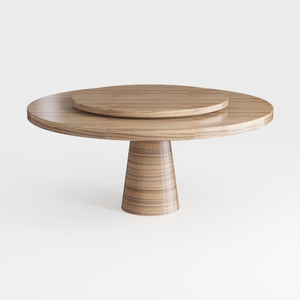
Minimalist Solid Wood Round Dining Table with Lazy Susan 3D Model

Minimalist Rattan Solid Wood Round Dining Table Set 3D Model
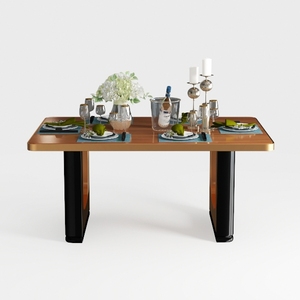
Large Luxury Office Desk, Live Edge Color River
Transform your home design dreams into reality with Homestyler! This user-friendly online platform offers an intuitive design tool, stunning 3D renderings, and a wealth of DIY video tutorials. Whether you're a novice or an expert, creating beautiful spaces has never been easier!
Design jetzt kostenlos
































