

Designing a 3D model of an abacus presents an exciting opportunity for anyone looking to merge educational tools with digital artistry. This project is ideal for teachers, students, or design aficionados who wish to enhance their grasp of both the abacus and the fundamentals of 3D visualization. The following guide will take you through a comprehensive step-by-step process utilizing user-friendly computer-aided design (CAD) software, ensuring that no prior expertise is needed.
Step 1: Collect Reference Images and Dimensions
Begin by gathering high-quality images of various traditional abaci, including the Chinese suanpan and Japanese soroban. Pay close attention to dimensions—how many rods are there, the count and size of beads for each rod, and the overall frame size. Whenever possible, acquire precise measurements to ensure your model achieves a realistic appearance.
Step 2: Select Your 3D Modeling Software
Numerous applications cater to both novices and seasoned professionals. Tinkercad stands out as a free, web-based choice, while tools like Blender and SketchUp provide more sophisticated features. If your focus is on spatial design or you want to incorporate your abacus into a room scene, using a Homestyler platform can help you visualize the abacus within a crafted environment.
Step 3: Construct the Frame
Start by creating the outer rectangular frame. Utilize the ‘box’ tool, modifying it to meet your desired dimensions. Next, attach the top and bottom horizontal crosspieces in a similar manner. Ensure that the proportions closely resemble those of a conventional abacus to achieve authenticity.
Step 4: Add the Rods
Craft vertical rods using the cylinder tool. Evenly space these rods along the frame based on your initial research. You can duplicate the rod component to efficiently fill the length of the abacus.
Step 5: Create and Place the Beads
By employing the sphere tool, design one bead and adjust its size to align with your reference materials. Replicate this bead and position them on each rod—typically, five to seven beads are needed per rod for a standard abacus. If your software provides an array tool, utilize it for quicker placement.
Step 6: Apply Textures and Colors
To enhance realism, apply wooden textures to the frame alongside metallic or matte finishes to the rods and beads. Feel free to experiment with various color schemes to either make the abacus visually striking or complement surrounding elements in a larger virtual environment.
Step 7: Render and Export Your Design
Set up camera angles and lighting to ensure a lifelike presentation. Render images of your abacus for educational displays or export the model file for uses like animation or 3D printing.
As an interior designer, I highly advocate for the inclusion of small decorative items—such as an abacus—into 3D modeling, especially for educational environments or children's rooms. Platforms like Homestyler facilitate the creation of the abacus itself while allowing you to visualize its integration within room designs, ensuring that practicality melds with aesthetic vision.
Tips 1:
For those planning to utilize their abacus model in a commercial or educational context, refining the spacing between beads and the overall proportions for user-friendliness is vital. If your software supports it, test the interactive movement in a simulation. Additionally, experiment with placing your model in various interior backgrounds to see how lighting and color schemes affect overall design perception.
FAQ
Q: What is the most suitable software for beginners to create a 3D abacus model?
A: Tinkercad is remarkably user-friendly and perfect for beginners, whereas Blender provides advanced features for those willing to take on a steeper learning path. Q: How crucial are the correct dimensions in a 3D abacus model?
A: Achieving accurate dimensions is essential for realistic scaling, particularly if you intend to include the model in broader scenes or educational applications. Q: Is it possible to 3D print my abacus model?
A: Absolutely! Export the final model as an STL or OBJ file, ensuring that bead sizes and holes are compatible with the materials used for physical construction. Q: How can I add textures or materials to my abacus model?
A: Most 3D software utilities offer a materials panel where you can apply preset or custom finishes such as wood, metal, or plastic to your components. Q: Why is incorporating an abacus into a digital interior scene beneficial?
A: This inclusion not only elevates educational or themed spaces but also adds personality while helping to visualize how interactive learning tools can blend with wider interior design elements.
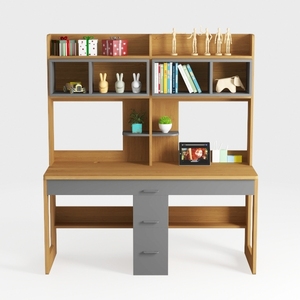
Xorgeximo Wooden Computer Desk with Bookshelf and

Minimalist Solid Wood Home Office Desk with Drawers 3D Model

ODK 54 Inch Computer Desk Home Office Desk, Gaming
Unlock your creativity with Homestyler, the ultimate online home design platform! Enjoy a user-friendly design tool, stunning 3D renderings, and a wealth of design projects. Plus, our DIY video tutorials make home designing easy and fun. Transform your ideas into reality today!
تصميم الآن مجانا
































