


If you're thrilled about the prospect of 3D printing models from Daz3D, you're definitely not alone! Numerous artists and designers are eager to transform their digital designs into tangible objects. But how can you realize these stunning virtual models in physical form? This comprehensive guide will lead you through the essential steps to effectively 3D print your Daz3D creations, including tips on utilizing tools like Homestyler to enhance your projects.
Preparing Your Daz3D Models for 3D Printing
The initial phase in 3D printing any model involves ensuring that it’s optimized for the printer. Begin by exporting your model from Daz3D in file formats that are compatible, like OBJ or STL, as these formats are widely accepted by most 3D printing software and services. It's crucial to identify any issues such as non-manifold edges or inverted normals that could impede the printing process. Also, verify that all parts of your models are fully connected to avoid disjointed prints, enhancing your overall workflow as you integrate tools like Homestyler.
Once you've exported your model, you might want to employ software such as Meshmixer or Blender to refine and adjust your mesh. This step is critical to making necessary tweaks to ensure your model is ready for printing. Take into account the scale of your model; your original design may need resizing to fit your 3D printer. The aim is to preserve the intricate details while also considering printability. If your design features overhangs, think about adding supports for stability.
Selecting the Right Printer and Material
After prepping your model, the next step is to select the appropriate 3D printer and material for your project. Printers come with different capabilities and features—FDM printers are a popular choice for novices and can handle various plastics like PLA, while resin printers allow for high detail but require more meticulous handling. If your budget permits, consider investing in dual-extrusion printers that facilitate printing with multiple materials or colors at once.
When it comes to material selection, think about the final aesthetic and feel you wish to achieve for your model. PLA is a fantastic choice for beginners thanks to its user-friendliness and economical price. For models requiring fine details, resin offers a smoother finish. Also, ponder whether you prefer a colored model or plan to paint it post-printing. Some filaments are available in specialty options with unique finishes, such as metallic or glow-in-the-dark effects, which can be enhanced using software like Homestyler.
Printing Your Daz3D Models
Prepare your sliced model using programs like Cura or PrusaSlicer, which translate your digital file into a format your printer can comprehend. Adjust settings like layer thickness, infill, and print speed according to your printer’s capabilities and the desired quality of your print. Keep in mind that finer layers yield a smoother appearance but will take longer to complete. Make sure that your build plate is properly leveled to avoid complications during the printing phase.
Once you have everything configured, it's time to press that print button! Monitor the printing process closely, especially for intricate models, and be prepared to troubleshoot any complications that might come up. Documenting the printing process can also be helpful for future reference and learning. Enjoy this exciting printing journey!
Post-Processing Your 3D Printed Models
After printing, some post-processing may be necessary. For FDM prints, you can smooth out rough edges by sanding them down, or utilize acetone vapor smoothing if you used ABS filament. For resin prints, thorough cleaning with isopropyl alcohol is essential for achieving a polished finish. You might also need to cure your resin prints using UV light to fully harden the material. If your model consists of multiple components, careful assembly is vital for ensuring durability.
After completing the post-processing, feel free to paint, assemble, or further customize your model! The creative possibilities are endless, and there’s a great sense of fulfillment in holding a physical representation of your design. Don’t hesitate to share your finished model with the community to inspire others!
FAQ
Q: Can I print Daz3D models directly without any adjustments? A: To achieve successful prints, it's advisable to optimize your Daz3D models for 3D printing. This may involve scaling and ensuring manifold geometry is correct.
Q: Which software is ideal for cleaning up your 3D models? A: Meshmixer and Blender are phenomenal options for cleaning and modifying your mesh, equipped with an array of tools to improve model quality.
Q: What is the simplest type of 3D printer for newcomers? A: FDM printers are user-friendly and cater well to beginners due to their straightforward operation and lower costs.

Minimalist Solid Wood TV Stand Cabinet with Slatted Doors 3D Model
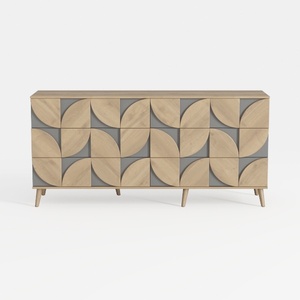
Modern Geometric Pattern Solid Wood Sideboard Cabinet 3D Model
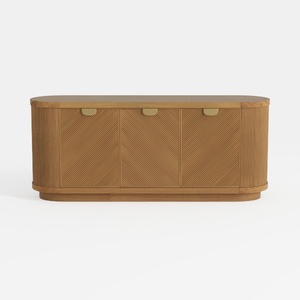
Modern Minimalist Solid Wood Fluted Sideboard with Brass Accents 3D Model
Discover your home’s potential with Homestyler! This easy-to-use online design tool lets you create stunning spaces with its advanced 3D rendering, numerous design projects, and helpful DIY video tutorials. Whether you’re a novice or a pro, you’ll find inspiration and tools to make your vision a reality.
Design Now for FREE
































