

Advancements in 3D scanning technology alongside intuitive software have made it incredibly easy to create a 3D model of yourself. Whether you’re aiming for a digital twin to enhance virtual reality setups, custom avatars for various applications, or objects for 3D printing, the process can now be accomplished from the comfort of your home with minimal tools and some dedication. Follow this comprehensive guide on how to scan yourself into a 3D model.
How to Scan Yourself as a 3D Model
1. Select Your Scanning Approach:
There are numerous methods available for scanning your body, each varying in the tools required:
2. Set Up Your Workspace:
For optimal results, find a well-lit area free from harsh shadows, which is crucial when using photogrammetry. Wear fitted clothing to clearly define your shape, and remain still during the scanning process.
3. Execute the Scanning Process:
If using photogrammetry, have an assistant take between 50 to 150 overlapping images from various angles (above, below, and all around). If you have a scanning device, gently navigate it around your body, or rotate yourself if the scanner is fixed in place.
4. Refine the Capture:
Upload your photos to the selected photogrammetry software, or allow the scanner application to create a mesh model. Carefully inspect and edit the resulting 3D mesh to eliminate artifacts or correct any gaps.
5. Export and Utilize Your 3D Model:
Once you're satisfied with the results, export your 3D model in common formats such as OBJ, STL, or FBX. Your digital twin can now undergo editing, animation, or importation into games, and can even be utilized for 3D printing.
As an interior design enthusiast, I find the impact of 3D scanning on personalized space planning and virtual staging to be truly groundbreaking. Imagine incorporating a life-like representation of yourself into your virtual living space. Solutions like Homestyler not only facilitate effective 3D modeling but also allow you to visualize how your personal likeness fits into different spatial arrangements, enhancing the functionality and immersive qualities of your design process.
Tips 1:
To improve the detail and authenticity of your 3D scan, utilize diffuse lighting to reduce harsh shadows and maintain consistency across captured images. Consider utilizing a turntable for rotation (if available) and opt for a neutral background to simplify model isolation.
FAQ
Q: What is the simplest method for scanning myself as a 3D model at home?
A: For beginners, the most accessible and budget-friendly option is employing a smartphone with photogrammetry applications, such as Polycam or Luma AI. Q: How many pictures do I need for effective photogrammetry scanning?
A: To secure a quality output, you should aim for a minimum of 50 to 150 overlapping images captured from diverse angles surrounding your body. Q: Is it possible to use my 3D scan for 3D printing?
A: Absolutely, you can export the model as an STL file and utilize it with most home 3D printers, following some post-processing adjustments for better printability. Q: Which devices are optimal for capturing high-detail 3D body scans?
A: Handheld 3D scanners specifically designed for this purpose or smartphones equipped with depth sensors like the iPhone’s LiDAR offer superior precision and detailed results. Q: How can I incorporate my 3D scan into interior design initiatives?
A: Import your scanned 3D model into interior design visualization platforms to tailor furniture arrangements, evaluate room ergonomics, and generate highly realistic virtual environments.
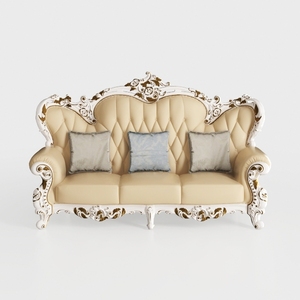
Baroque Luxury Leather Tufted Three Seat Sofa 3D Model
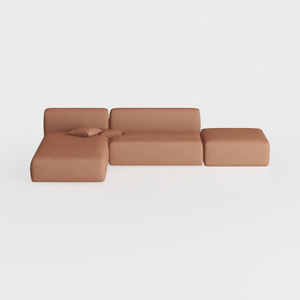
Minimalist Brown Fabric Modular Sectional Sofa 3D Model


Discover your dream space with Homestyler! This user-friendly online home design platform features an intuitive design tool, stunning 3D renderings, and a wealth of DIY video tutorials. Whether you’re a novice or a pro, creating beautiful interiors is just a click away!
立即免费设计
































