


With the rapid advancements in technology, creating 3D models straight from your iPhone has become incredibly accessible. Whether you're an interior designer eager to visualize your concepts or just an enthusiast exploring your creativity, this guide is designed to help you embark on your 3D modeling journey using your iPhone.
What Do You Need to Start?
Before you jump into 3D modeling, there are a few essentials to consider:
1. **High-Quality Camera:** Ensure your iPhone is equipped with a good camera since the accuracy of your 3D models will rely heavily on the quality of your photos.
2. **3D Modeling Applications:** Explore and download trustworthy applications such as Polycam or Lidar Scanner 3D, which simplify the transformation of images into 3D models effortlessly.
3. **Sufficient Lighting:** Having proper lighting is crucial for enhancing the quality of your 3D scans. Prefer working outdoors in natural light or ensure your indoor space is well-lit to minimize shadows.
Creating 3D Models: A Step-by-Step Approach
Follow the steps below to create captivating 3D models:
1. **Select Your Subject:** Start with a simple object that’s easy to capture, like a decorative piece or a small piece of furniture.
2. **Arrange Your Shots:** Identify a bright area with plenty of space around your object to enable a complete 360-degree scan.
3. **Capture Your Object:** Utilize your preferred app to photograph the object from various angles. Either rotate the object or adjust your position to capture it completely.
4. **Process Your Images:** Let the application convert your captured images into a 3D model. This processing phase may take a while depending on your app and device.
5. **Refine Your Design:** Most post-processing tools allow for alterations in textures, colors, and the removal of any imperfections within your 3D model.
Techniques for Enhanced 3D Models
To create higher-quality 3D models, consider these helpful strategies:
- Use a tripod to stabilize your camera, significantly reducing blurriness.
- Carefully move around your subject while photographing to prevent motion blur.
- Try different angles to discover the most appealing perspectives for your models.
Frequently Asked Questions
Q: Is it possible to create intricate models using my iPhone? A: Yes! You can begin with basic objects, and as you grow more skilled, you can progress to designing more complex projects.
Q: Are there free applications available for 3D modeling? A: Certainly! Several free alternatives such as Qlone and the 3D Scanner App exist, though they may offer premium features that enhance their usability.
Q: What is the typical time required to create a 3D model? A: The duration can fluctuate based on the complexity of the object and your experience with the app, but simple models can often be constructed in just a few minutes.

Furniliving Armless Upholstered Chair for Makeup

Modern Marble Solid Wood TV Wall Unit With Bookshelves 3D Model
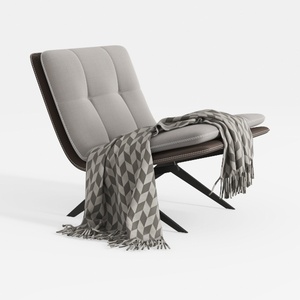
Modern Minimalist Fabric Leather Metal Lounge Chair with Throw Blanket 3D Model
If you're looking to transform your home design dreams into reality, Homestyler is the go-to online platform. With its user-friendly design tool, stunning 3D renderings, an array of design projects, and helpful DIY video tutorials, creating your perfect space has never been easier or more enjoyable!
立即免费设计
































