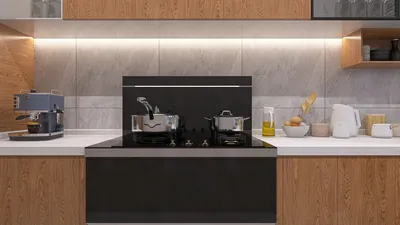


Crafting 3D models for Source Filmmaker (SFM) and Garry's Mod (GMod) can be a fulfilling endeavor, allowing you to animate custom props, characters, or environments within these popular Source Engine applications. The workflow generally involves modeling, texturing, rigging (for animated objects), and preparing the assets specifically for the Source Engine. Below, I've outlined the process and shared some design insights that I frequently employ in my interior visualization projects, incorporating tools like Homestyler.
Tips:
Step 1: Select Appropriate Modeling Software
For many creators working with SFM and GMod, Blender is the go-to free and open-source solution, although Autodesk Maya and 3ds Max are also suitable for Source Engine workflows.
Step 2: Model Your Asset
Utilize your chosen 3D software to craft your object. Remember to consider the intended scale and detail level necessary for real-time rendering in Source. For interior elements, informed by my design experience, I suggest referencing real-world dimensions and functional elements to enhance believability.
Step 3: UV Unwrap and Texture
Unwrap your model to create UV layouts, and design the textures using applications like Photoshop or Substance Painter. Maintaining consistency and realism in materials, such as wood textures or fabric patterns, greatly influences visual quality—drawing on techniques from professional 3D render presentations can help elevate your SFM/GMod assets.
Step 4: Rigging for Animation
If your model requires animation (for characters or mechanical items), rig it with a skeleton and test for accurate deformations. This step is crucial for seamless animated sequences in SFM.
Step 5: Exporting and Compiling
Employ Source add-ons or export scripts to relaunch your mesh (commonly as .SMD or .DMX files). Then, with Source SDK tools such as Crowbar, you can compile your models into .MDL format.
Step 6: Integration into Game/Editor
Transfer your compiled models and textures to appropriate directories within your SFM or GMod installation. They should now be accessible for your scenes or sandbox gameplay.
Designer’s Insight: From my experience, standout models in SFM or GMod often draw inspiration from authentic interior design references, applying scale, proportion, and material cues for realism. If you’re designing interiors—such as rooms, furniture, or decorations—try utilizing real design plans or consulting platforms like Homestyler to inform your proportions, color choices, and lighting techniques.
Frequently Asked Questions
Q: What file formats are used for SFM and GMod models?
A: The Source Engine utilizes the .MDL format for models, with imports commonly occurring from .SMD or .DMX files.
Q: Can I use Blender to create models for SFM/GMod?
A: Absolutely! Blender, equipped with relevant Source tools add-ons, is entirely capable of modeling, rigging, and exporting assets for SFM and Garry's Mod.
Q: Where can I find templates or references for creating accurate props or environments?
A: Architectural resources, design software, and professional 3D render inspirations are excellent references. Additionally, real-world interior design blueprints can provide valuable assistance.
Q: How can I apply textures to my models for Source games?
A: After unwrapping your model’s UVs, you need to create textures and VMT files as explained in the Source SDK documentation, and ensure they are referenced correctly in your model’s compile settings.
Q: Is programming required to import models into GMod or SFM?
A: No programming knowledge is necessary for basic model imports—familiarity with file structure and the Source SDK tools is enough. However, if you'd like to add extra interactivity in GMod, advanced scripting may be beneficial.


DUOMAY Modern Boucle Dining Chairs Set of 2,

Minimalist Velvet L Shaped Sectional Sofa with Throw Pillows 3D Model
Discover your creative potential with Homestyler, the ultimate online home design platform! Enjoy its easy-to-use design tool, stunning 3D renderings, a wealth of design projects, and engaging DIY video tutorials. Transform your space effortlessly and make your dream home a reality!
Concevez maintenant gratuitement
































