


Designing a 3D floor plan using 3ds Max can significantly enhance the workflow of architects and interior designers. By utilizing effective methods, you can effortlessly convert a basic 2D layout into a captivating 3D environment that highlights your creative ideas. This guide will walk you through the fundamental processes necessary to animate your floor plan, focusing on modeling, rendering, and texturing.
Getting Started with 3D Floor Plans
Before you start with 3ds Max, it's crucial to visualize your floor plan clearly. Begin by sketching the layout, incorporating elements like walls, doors, and where furniture will be placed. You can easily bring your 2D design into 3ds Max with the help of the Floor Planner tool, which streamlines the 3D modeling process.
Modeling the Floor Plan
Start by constructing the walls using the Box tool; ensure the height corresponds to your intended ceiling height. After establishing the walls, introduce windows and doors by employing Boolean operations to carve out sections from the walls, providing you with accurate control during the modeling phase.
Texturing and Lighting
To achieve a lifelike appearance for your floor plan, it’s essential to apply appropriate textures to both walls and floors. Utilize the Material Editor to pick materials that resonate with your design vision; opt for organic textures for a cozy feel or polished finishes for a contemporary touch. Following this, configure the lighting with options from the 2D Design Tool to create a welcoming atmosphere.
Rendering Your 3D Floor Plan
Upon completing the modeling and texturing phases, the next step is to render your 3D floor plan. Tweak the rendering settings for the best quality and select from various rendering engines provided in 3ds Max. Finally, save your renders in order to share with clients or include in your design portfolio.
Conclusion
Generating a 3D floor plan in 3ds Max can greatly enhance your presentation to clients and assist them in imagining their future environments. Keep in mind that improvement comes with practice, so continue honing your skills. Have you attempted to create a 3D floor plan? What obstacles did you encounter? We encourage you to discuss your thoughts in the comments!
FAQ
Explore Homestyler for Free 3D Floor Planning
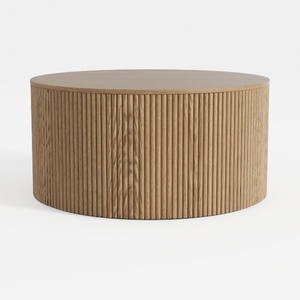
Minimalist Fluted Solid Oak Round Coffee Table 3D Model
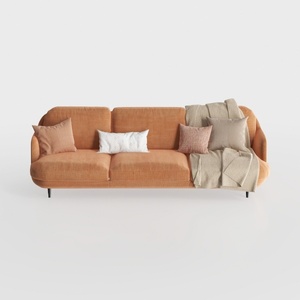

Modern Minimalist Orange Fabric Three Seater Sofa With Throw Pillows 3D Model
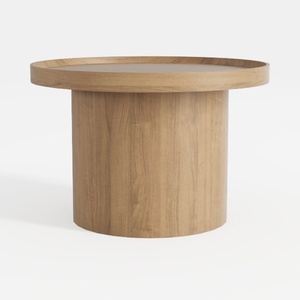
Minimalist Solid Oak Round Coffee Table 3D Model
Homestyler is an outstanding online platform for home design enthusiasts. With its user-friendly design tool, stunning 3D renderings, and a wealth of DIY video tutorials, you can effortlessly create and visualize your dream interiors. Transform your space with ease and inspiration using Homestyler!
Design Now for FREE
































