

Developing a 3D rendition of a topographical map can be an immensely gratifying experience. It’s particularly useful for visualizing landscapes, strategizing outdoor projects, or providing an impressive element to your design portfolio. Begin by sourcing or creating detailed elevation data, then utilize digital modeling tools to translate these contours into an accurate, tactile representation. Here’s a systematic guide to get you started:
As a design professional, I consistently encourage the incorporation of 3D topographical modeling into comprehensive interior and architectural planning. A precise terrain model does more than just display—it can affect furniture arrangement, landscape designs, and even window positioning for the best views and natural light. Understanding the spatial dynamics of your environment is essential for creative design innovations.
Helpful Tips:
Select your materials carefully for printed models. Neutral PLA works well for clarity, while resin provides high detail. In digital formats, utilize photorealistic rendering to simulate changes in landscapes or to present your topography effectively to clients.
Common Questions:
Q: What file type is ideal for 3D printing a topographical map?
A: The STL format is commonly used and is the best choice for most 3D printers, as it supports compatibility and accurately represents layered elevation details.
Q: Which software is preferable for beginners wanting to create 3D topographic models?
A: For newcomers, Tinkercad and SketchUp are both approachable options, whereas those with more experience might gravitate towards Blender or Fusion 360.
Q: How can I transform real-world locations into a 3D map?
A: You can download DEM or contour data for your location from recognized geospatial databases and then import this data into 3D modeling software to produce your terrain.
Q: Are 3D topographical models compatible with virtual reality (VR) visualizations?
A: Definitely! Models saved in OBJ or FBX formats can be imported into VR settings, allowing for an immersive experience in exploring topographic features.
Q: What scale is recommended for my 3D topographical map?
A: Your choice of scale should reflect the level of detail and size you desire. Large-scale maps (e.g., 1:5,000) showcase finer details, while smaller-scale maps provide broader, less detailed representations. It’s important to strike a balance between clarity and functionality. For enhanced visualization, tools like Homestyler can be invaluable in your design process.

Minimalist Fabric L Shaped Sectional Sofa with Metal Legs 3D Model
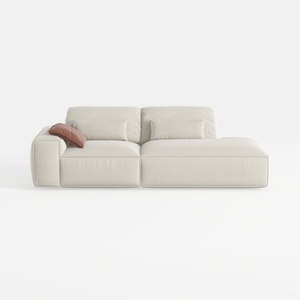
Minimalist Beige Fabric L-shaped Chaise Sofa 3D Model


Discover the magic of home design with Homestyler! This user-friendly platform offers an intuitive online design tool, stunning 3D renderings, inspiring design projects, and helpful video tutorials. Transform your creative visions into reality—perfect for every DIY enthusiast and aspiring designer!
立即免费设计
































