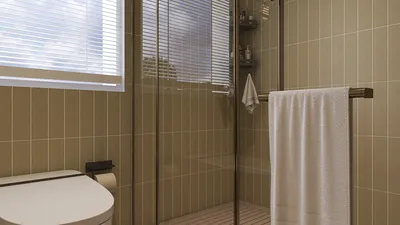


Crafting a 3D GIF of your design model can significantly enhance your presentations and marketing efforts. By following a few simple steps, you can produce captivating animations that truly bring your concepts to life. Let’s explore the steps involved in creating an eye-catching 3D GIF that will engage your audience effectively.
Step 1: Select Your 3D Modeling Software
Begin by selecting a suitable 3D modeling software, such as Blender, SketchUp, or Autodesk Maya. Each tool offers unique features that can aid in generating high-quality models and animations. Blender stands out due to its vibrant community and free access. Are you currently utilizing any 3D modeling software? We’d love to hear about it in the comments!
Step 2: Create and Optimize Your 3D Model
After you’ve selected your preferred software, start designing your model. It's essential to optimize your creation for animation purposes. Aim to minimize the polygon count while ensuring your textures are applied correctly. If you are new to modeling techniques, don't hesitate to seek out tutorials that can assist you during this phase.
Step 3: Set Up the Animation
At this stage, you will configure the movements or transformations that your model should execute. This can range from a simple rotation to intricate actions. Utilize your software’s timeline to establish keyframes that represent these movements. How detailed do you envision your animation? Feel free to share your ideas!
Step 4: Export Your Animation
Once your animation is complete, it’s time to export it. Many 3D modeling programs permit direct exporting as a GIF. However, if yours doesn’t, you can instead export your animation as a video file (such as MP4) and then convert it to GIF format using software like GIMP or various online converters. What format do you typically employ for sharing your animated creations?
Step 5: Fine-tune Settings for the Ideal GIF
In the final step, adjust the GIF settings such as frame rate and resolution to ensure smooth playback and optimize the file size. It’s a good idea to test your GIF across various platforms to see how well it performs and to make any necessary tweaks. Are you excited to unveil your impressive design?
FAQ
Q: Which software is recommended for creating 3D models? A: Blender and SketchUp are fantastic options for beginners, with Blender being especially adaptable. Q: Is converting a video to a GIF straightforward? A: Absolutely! Tools like GIMP or online converters simplify the process of converting your videos into GIFs.
Discover the joy of home design with Homestyler! This user-friendly platform offers a fantastic online design tool, stunning 3D renderings, and a wealth of inspiring design projects. Plus, with comprehensive video tutorials, transforming your space has never been easier. Unleash your creativity today!
Zaprojektuj teraz za darmo
































