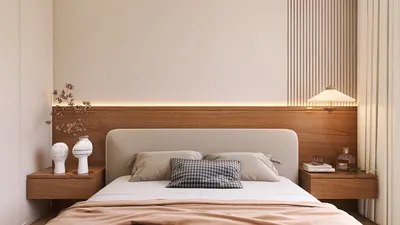


Crafting a 3D house model is an exhilarating adventure and an excellent way to bring your dream home into focus. While the task of designing in 3D may appear intimidating, it becomes quite manageable with the right tools and methodologies. In this guide, we'll navigate through the crucial steps to create an impressive 3D representation of your home using Homestyler.
1. Select Your 3D Modeling Software:
The initial step involves choosing the ideal software for developing your 3D model. Some of the most popular options include SketchUp, AutoCAD, and Blender. Each platform boasts unique strengths catering to various skill levels. For novices, SketchUp is particularly approachable and boasts a wealth of tutorial resources, while Homestyler offers intuitive features designed for easy navigation.
2. Gather Inspiration and Ideas:
Prior to launching your modeling project, collect inspiration from diverse sources such as Pinterest, architecture magazines, or even houses in your community. Assemble a mood board and identify key elements you wish to incorporate into your design.
3. Begin with the Floor Plan:
The foundation of your 3D model begins with a thorough floor plan that details room sizes and positions. This plan will serve as a roadmap for accurately placing walls, doors, and windows in your model.
4. Constructing Walls and Roofs:
Utilizing the tools available in your software, start constructing the walls in accordance with your floor plan. Remember to set the appropriate heights for each wall section. Next, add a roof, considering various styles that complement your home's design.
5. Insert Windows and Doors:
The arrangement of windows and doors affects both the visual appeal and the natural light in your model. Opt for pre-made templates offered by your software or design custom openings that align with your creative vision.
6. Apply Textures and Materials:
To lend a realistic touch to your model, apply textures to the walls, roofs, and floors. You can import your own textures or select from the library available in Homestyler. Consider cohesive color schemes that flow throughout your home.
7. Furnish Your Model:
Adding furnishings is essential for achieving a complete appearance. Include furniture, appliances, and decorative pieces in every room. This phase helps illustrate the space's scale and functionality effectively.
8. Lighting and Visualization:
Lighting is crucial in highlighting the beauty of your model. Experiment with different artificial and natural lighting configurations to observe their impact on the atmosphere. Many software options, including Homestyler, feature rendering tools that allow visualization of how your house may appear in reality.
9. Review and Revise:
Once you feel confident in your design, take a moment to step back and review your creation. Look for any inconsistencies or potential areas for enhancement. Gathering feedback from peers can also prove invaluable during this phase.
10. Export Your Model:
Finally, after implementing all necessary adjustments, export your 3D model in a suitable format. This export can be utilized for presentations, marketing, or sharing with friends and family to gather their insights.
In Conclusion:
Designing a 3D model of a house demands patience and creativity. Keep in mind that every mistake is part of the learning journey. What obstacles do you encounter while modeling your home? Share your experiences in the comments below!
FAQ
Q: Which software is most suitable for beginners wanting to create a 3D house model? A: SketchUp is highly recommended for novices due to its user-friendly interface and comprehensive tutorials, while Homestyler is also designed to be highly accessible.
Q: Is it possible to create a 3D model for free? A: Absolutely! Numerous software options, such as Blender and free versions of SketchUp, enable you to design intricate 3D models without incurring any costs.
Q: Must one have architectural expertise to create a house model? A: While having some architectural knowledge can be advantageous, many tools, particularly Homestyler, are geared towards beginners and facilitate a learning-by-doing approach.
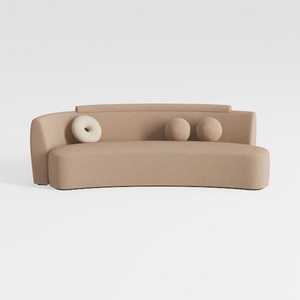

Yozma Curved Chenille Sectional Sofa Beige, Dual D
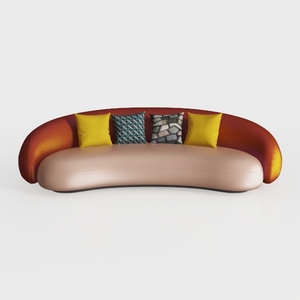
Modern Two Tone Fabric Curved Sofa With Decorative Throw Pillows 3D Model

Minimalist Brown Velvet L Shaped Sectional Sofa 3D Model
Homestyler is your go-to online platform for all your home design needs. Create stunning interiors with its easy-to-use design tool, explore a wealth of 3D renderings, and get inspired by DIY video tutorials and design projects. Transform your space effortlessly!
Design Now for FREE
































