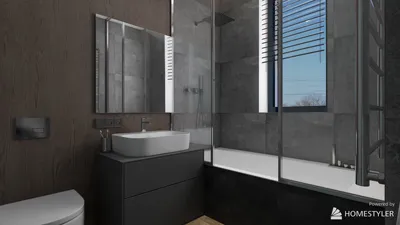


Creating a room design can be both an exciting and fulfilling endeavor, giving you the opportunity to showcase your personal taste while crafting a practical environment. Whether you are a novice designer or simply someone looking to enhance their living space, starting off by sketching a room design is essential to realize your vision. This article will walk you through the vital steps to effectively create a room design. Let’s dive in!
1. Gather Your Tools: Before starting your drawing, assemble the necessary tools. You will require graph paper or an online design application like Homestyler, along with a pencil, eraser, ruler, and possibly some colored pencils for better visualization. If you prefer a digital approach, take advantage of the extensive templates and furniture models available with Homestyler.
2. Measure Your Space: Accurately measure the room you’ll be working on. Record the lengths and widths of the walls, along with the positions of doors and windows. This information is vital for an accurate layout.
3. Create a Scaled Floor Plan: Utilize your measurements to design a scaled floor plan on graph paper or within your design software. Each square on the graph paper can correspond to a specific measurement (for example, 1 square = 1 foot). Accurately pinpoint the locations of doors and windows to ensure your design remains practical.
4. Plan Your Layout: Think about the flow of the room and how you intend to use the space. Consider where to place furniture, walking paths, and focal points in the room, such as a fireplace or a prominent window. Experiment with different furniture arrangements to find the most effective layout.
5. Choose Your Color Palette: Colors can significantly influence the ambiance of a room. Select a color palette that embodies your personal style and establishes the desired mood. Utilize colored pencils on your sketches or explore digital color resources if using Homestyler.
6. Add Furniture and Decor: Using your scaled floor plan, start inserting furniture and decor elements into your drawing. Ensure you measure your furniture pieces and use scaled representations to verify that all elements fit harmoniously. Pay attention to the style of each item and how it aligns with your overall design vision.
7. Review and Revise: Once you have the initial draft of your room design, take a moment to step back and evaluate it. Reflect on whether the layout is suitable, if the colors compliment each other, and if the furniture arrangement feels balanced. Don’t hesitate to make adjustments, as this is all part of the design journey!
8. Seek Feedback: Whenever possible, share your design with friends or family for their opinions. They can provide valuable feedback and suggestions for enhancing your design.
9. Finalize Your Design: After incorporating any necessary changes, finalize your design. If you’re utilizing digital design software like Homestyler, you can generate high-resolution renderings of your room design, effectively bringing your vision into reality.
10. Bring Your Design to Life: With a well-thought-out design in hand, it’s time to bring it into your space! Collect your materials, shop for furniture, and begin transforming your room according to your design.
In summary, drawing a room design necessitates careful planning, creativity, and a willingness to explore different layouts and styles. Equipped with the right tools and mindset, you can create a space that genuinely represents your personality and meets your functional requirements. Happy designing!
Tips 1:
Leverage online tools like Homestyler to find inspiration and furniture models that can elevate your design process.
FAQ
Q: What software can I utilize to draft my room design? A: You can use Homestyler or other digital design applications that offer templates and an assortment of furniture models.
Q: How important is it to measure my space accurately? A: Accurate measurements are critical to develop a realistic and functional design.
welcome to Homestyler
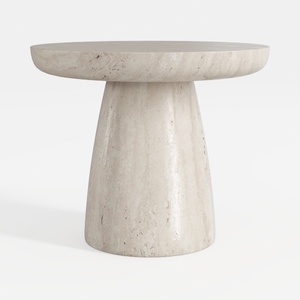
Minimalist Travertine Round Side Table 3D Model
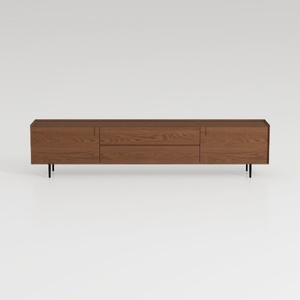

Modern Minimalist Walnut Solid Wood TV Stand with Drawers 3D Model

Minimalist Glass Top Solid Wood Base Irregular Coffee Table 3D Model
Discover the ease of home design with Homestyler! This online platform features an intuitive design tool, stunning 3D renderings, and a wealth of DIY video tutorials. Whether you're a beginner or a seasoned decorator, Homestyler empowers you to create beautiful spaces effortlessly.
Design Now for FREE
































