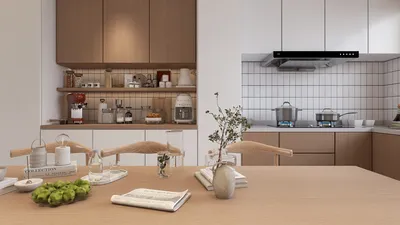


Designing a stunning 3D representation of a village can be an exciting venture that highlights your artistic talents and design skills. In this detailed guide, we will walk you through the fundamental steps needed to create a vibrant village scene that captures the essence of communal living, showcasing your creativity and expertise, with the help of Homestyler.
Step 1: Outline Your Village Design
The first crucial phase in developing a 3D village model is carefully outlining your design. Start by defining the main features you wish to include in your village. Will there be picturesque cottages, a lively marketplace, a tranquil church, or a fun-filled park? Draft a simple layout to conceptualize the key elements and their positioning in the scene.
Think about the type of village you aspire to design. Is it a charming rural landscape, a lively urban marketplace, or a modern suburban community? Each choice will greatly influence the architectural style and complexity of your structures.
Step 2: Choose Your 3D Modeling Software
The software selection is a vital factor in your journey as a 3D designer. Popular tools like Blender, SketchUp, and Tinkercad cater to various levels of expertise and design preferences. For newcomers, Tinkercad provides an intuitive experience, while Blender is packed with advanced features for more elaborate designs.
Evaluate your current knowledge of any software or consider exploring a new one. Picking a platform that feels comfortable will certainly make your modeling journey smoother, especially when using tools like Homestyler.
Step 3: Begin Modeling Basic Shapes
Start the creative process by crafting basic forms in your modeling software. Represent essential structures such as homes, shops, and community centers using simple shapes. You may choose to model each structure separately or cluster them for a comprehensive view.
Get creative by trying out various textures and color palettes to animate your village! Envision the mood you want to convey: do you prefer a series of warm, inviting cottages or colorful, bustling storefronts?
Step 4: Integrate Details into Your Village Model
Once your primary structures are in place, it’s time to enhance your model with detailed elements that reflect genuine village life. Consider aspects such as doorways, windows, roofs, and façades that align with your selected architectural theme.
Add greenery like trees and bushes, build pathways, fences, or even bring the scene to life with animated villagers to enhance its vibrancy and realism. What additional features do you think would make your village unique and captivating? Pay attention to the finer details for an authentic portrayal.
Step 5: Render Your Village Scene
After enriching your village model with captivating details, the subsequent essential step is rendering the entire scene. This procedure generates a high-quality image of your model, showcasing it in a lifelike manner. Concentrate on refining your lighting setup—natural light can dramatically boost the overall allure of your village.
Once your village model reaches completion, are you ready to unveil your creation? Rendered images can serve as excellent additions to portfolios and social media. How do you intend to showcase your artistic endeavor to the world?
FAQ
Q: What is the best software for creating 3D village models? A: Recommended platforms include Blender for advanced users and Tinkercad for those just starting out, providing flexibility based on your skill level, along with options like Homestyler for intuitive design.
Q: How can I enhance the realism of my village model? A: To improve realism, incorporate detailed textures, natural scenery, and scale elements such as miniature figures or animals to elevate engagement.
Q: Is it possible to use a mobile device for modeling? A: Yes, there are various mobile apps that support basic 3D modeling, although desktop applications generally offer more extensive features.

Homestyler is your go-to online home design platform, perfect for all skill levels. Utilize its easy-to-use design tool, explore stunning 3D renderings, and dive into inspiring design projects and DIY video tutorials. Bring your home vision to life effortlessly!
تصميم الآن مجانا
































