


When it comes to creating a 3D model of a puzzle cube, such as the classic Rubik's Cube, it's vital to blend creative design with effective modeling software. Whether you're a hobbyist or a seasoned professional working towards production-ready files, grasping the cube's structure, mechanics, and design specifications is crucial. Start by collecting reference images and, if feasible, examine a physical puzzle cube to gain insights into its movement and essential features. Then, select your preferred 3D modeling software ( Homestyler, Blender, Tinkercad, or Fusion 360). Begin by modeling the core: the centerpiece, followed by the edge, corner, and center pieces, ensuring each part mirrors the actual construction—accounting for movement allowances and assembly tolerances. Incorporate rounded edges and slight clearances to facilitate smooth rotation, which is fundamental in practical design.
As an interior designer, my perspective on the puzzle cube extends beyond just modeling—it transforms from a simple toy into a striking statement piece or serves as a source of inspiration for color-blocking in room accents. To visualize how your 3D puzzle cube model integrates into a space, incorporating it into a digital mockup with a tool like Homestyler not only enhances your design but also your presentation. This practice allows for experimentation with scale, positioning, and color palettes, significantly adding depth and context to your modeling project.
Tips for Creating Your Model:
If your goal is to achieve lifelike renders or prepare your puzzle cube for 3D printing, always double-check measurements and simulate the movement of digital components through animations or by creating physical prototypes. Properly labeling each part, organizing them into groups, and applying textures will streamline your workflow and enhance the clarity of the final output.
Frequently Asked Questions
Q: What software is most effective for 3D modeling a puzzle cube?
A: Fusion 360, Blender, Tinkercad, and even Homestyler can be excellent choices, depending on your expertise and the complexity you wish to achieve.
Q: What important measurements should I consider when designing a 3D puzzle cube?
A: It's essential that the measurements for each component allow for minor tolerances to permit movement. Generally, the 27 visible sub-cubes maintain uniform dimensions, but slight pockets and axles are necessary for interlocking and rotation.
Q: Is it possible to 3D print my designed puzzle cube?
A: Yes, it is entirely feasible, but ensure that you design each component individually and provide proper clearances for the joints to accommodate the printing material.
Q: How can I add realistic textures to my 3D puzzle cube model?
A: You can apply material textures and color decals within your chosen software. Many platforms, including Homestyler, support the import of sticker images or custom designs.
Q: Why would an interior designer utilize a puzzle cube model in visualizations?
A: Puzzle cubes introduce playful geometrical shapes and vibrant color elements into a space, functioning as focal points or sources of thematic inspiration within broader interior design visualizations.
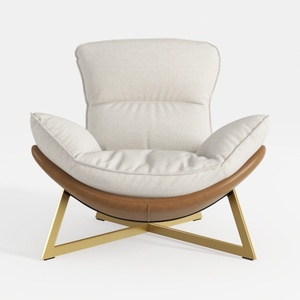
Modern Linen Leather Gold Metal Accent Armchair 3D Model
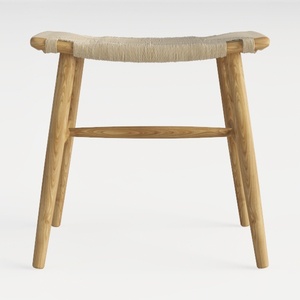
Maven Lane 31" Sophia Backless Bar Stool
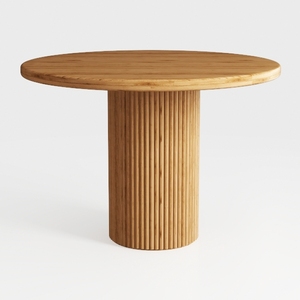
Minimalist Solid Oak Fluted Base Round Dining Table 3D Model
Discover the magic of home design with Homestyler! This intuitive online platform offers an easy-to-use design tool, stunning 3D renderings, inspiring design projects, and helpful video tutorials. Whether you're a novice or a pro, bring your home vision to life effortlessly!
立即免费设计
































