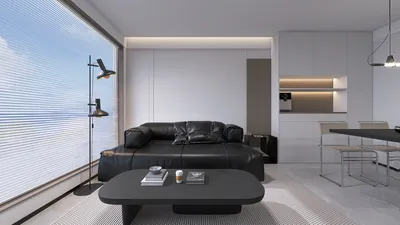


Creating a 3D representation of your residence is an excellent method to visualize your living spaces and plan for renovations or new interior designs. By leveraging sophisticated software, you can capture intricate details and make well-informed design choices. This guide will walk you through the vital steps to begin your journey.
Select the Ideal Software
The initial step in crafting a 3D model is choosing the appropriate software. Look for intuitive tools that provide a broad range of features; Homestyler stands out as a fantastic option, alongside options like SketchUp or Home Designer Suite. Each software has unique advantages, so think about what aligns best with your specific requirements.
Collect Exact Measurements
Accurate measurements are essential for producing a trustworthy 3D model. Make sure to measure your walls, windows, doors, and furniture, and be mindful of ceiling heights as well! This information will enable you to create an accurate depiction of your home.
Commence Creating Your Model
Start by drafting the floor plan. Add walls to your model based on your measurements, and utilize the tools within the software to adjust dimensions as needed. Once the basic structure is established, incorporate doors and windows in appropriate locations.
Incorporate Details and Furnishings
This is where the fun truly begins! Furnish your spaces with the 3D furniture selections available in the software. Experiment with different items to determine what best fits your layout. This phase can assist you in visualizing how to optimize smaller areas or enhance the flow of a room.
Try Out Colors and Textures
Experiment with various colors and textures for your walls and furnishings. Utilize the software to explore different design aesthetics. Will a vibrant blue wall make your living room appear larger or more constricted? Now is your chance to discover the answer!
Export and Share Your Design
Once you are content with your design, you can export and share your 3D model. Whether for professional use or gathering feedback from friends, having a visual layout can significantly aid in conveying your design vision.
Frequently Asked Questions
Q: What is the most user-friendly software for beginners aiming to create a 3D model of their home? A: Homestyler provides intuitive tools that are well-suited for newcomers, enabling quick and seamless modeling.
Q: Is it possible to make changes to my 3D model after it has been completed? A: Certainly! Most software offers straightforward modification options to adapt to your changing design ideas.
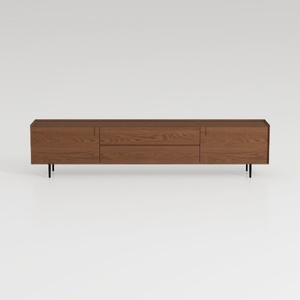

Modern Minimalist Walnut Solid Wood TV Stand with Drawers 3D Model

Natural Live Edge Solid Walnut Coffee Table Top 3D Model
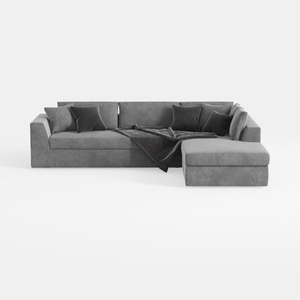
Minimalist Gray Fabric Sectional Sofa with Throw Pillows and Blanket 3D Model
Homestyler is the ultimate online home design platform for turning your ideas into reality. With its user-friendly design tool, stunning 3D renderings, diverse design projects, and helpful video tutorials, it empowers you to create your dream space effortlessly. Start designing today!
立即免费设计
































