


Crafting a 3D model of the Pantheon, an iconic example of Roman architecture, demands a fusion of thorough research, technical expertise, and artistic creativity. Whether you opt for professional-grade CAD software or user-friendly alternatives, the journey typically involves several essential phases: research, planning, modeling, and rendering. Start by gathering reference images and architectural designs of the Pantheon to grasp its proportions, noteworthy dome, portico, and oculus. Subsequently, sketch or outline the building's primary forms and structural elements—such as the cylindrical rotunda, the front portico, substantial columns, and the hemispherical dome.
Utilize your preferred 3D modeling software to initially block out the fundamental shapes, before delving into the intricate details. Pay close attention to the Pantheon's distinctive characteristics: the layered dome featuring coffers, the oculus at the apex, and the Corinthian columns adorning the façade. Leverage symmetry and array tools to efficiently reproduce geometric elements. After completing the modeling phase, enhance materials and lighting to accurately depict the marble and stone textures of the Pantheon, then render your model for visualization or presentation purposes.
As an interior designer, I emphasize that precision and visual storytelling are crucial, alongside technical modeling. This is why I suggest employing advanced digital solutions, including a platform like Homestyler, to create stunning renditions of classical structures such as the Pantheon. This approach not only enhances visuals but also improves the educational and inspirational aspects of the modeling process.
Tips 1:
Begin with simplicity: Concentrate on basic shapes to ensure correct proportions before introducing architectural details and textural elements. Consulting historical blueprints can help you achieve accuracy while modeling complex components like domes and columns.
FAQ
Q: Which software is best for 3D modeling historic architecture like the Pantheon?
A: Popular options include Blender, SketchUp, Autodesk 3ds Max, and Rhino. Additionally, many utilize specialized platforms designed to optimize architectural visualization.
Q: What is the best approach to accurately model the Pantheon’s dome?
A: Incorporate reference images and mathematical principles. Model the dome as a hemisphere and employ coffering using array and subdivision tools to achieve intricate details.
Q: Is it possible to create a 3D model of the Pantheon without advanced skills?
A: Absolutely! Many beginner-friendly tools provide templates or drag-and-drop functionalities, but mastering some basic modeling techniques will significantly enhance your outcomes.
Q: How can I achieve a realistic appearance in my 3D model?
A: Utilize high-quality textures that emulate marble and stone, ensure proper lighting, and explore rendering engines that deliver photorealistic results.
Q: Are there any free resources available for modeling the Pantheon?
A: Yes, numerous online communities share blueprints of the Pantheon, textures, and even free 3D models for educational use.

Modern Minimalist Oak Metal Computer Desk With Storage Shelves 3D Model

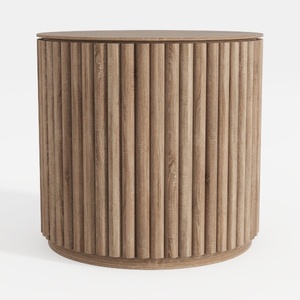
Minimalist Fluted Solid Wood Round Side Table 3D Model
Unlock your creativity with Homestyler, the ultimate online home design platform! Effortlessly use the intuitive design tool to create stunning spaces, explore extensive 3D renderings, and dive into inspiring design projects and DIY video tutorials. Transform your home design vision into reality today!
Design Now for FREE
































