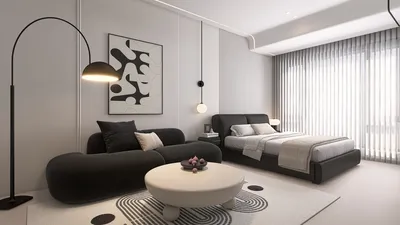


Are you excited to learn how to create a 3D house model? Crafting a digital version of your ideal home can be a fulfilling endeavor. With suitable tools and techniques, you can turn your dream into reality rapidly. This guide will walk you through the vital steps to design a 3D house model that not only showcases your personal style but also adheres to sound design principles. Incorporating tools like Homestyler can significantly enhance your modeling experience.
Selecting the Appropriate Software for Your 3D House Model
The initial phase in crafting a 3D house model is to choose the right software. Among popular choices are SketchUp, AutoCAD, and Revit. Each program offers distinct features, making it crucial to select one that aligns with your specific requirements. Are you in search of user-friendly interfaces or advanced rendering capabilities? Consider what is most essential to you as you embark on your modeling adventure.
SketchUp is often recommended for novices due to its easy-to-use design and vast library of pre-made models. Once you have decided on your software, take the time to get acquainted with its features and tools. Begin by playing around with simple shapes before advancing to more intricate designs. Alternatively, you might explore options like Homestyler for its user-centric design.
Developing Your Floor Plan: The Foundation of Your 3D Model
Before diving into the realm of 3D modeling, sketching a comprehensive floor plan is essential. This blueprint will steer your design and promote logical connections between spaces. Reflect on the dimensions of each room and their interconnections. Do you prefer an open concept layout or more segmented spaces? Consider how each area will be utilized and plan for furniture arrangements accordingly.
While drafting your floor plan, remember to include doors and windows. Their positioning greatly influences lighting and airflow, which can considerably affect the ambiance of your model. How can you ensure that your home is bathed in natural light? We invite you to share your thoughts in the comments below!
Constructing the 3D Model: Transforming Plans into Reality
With your floor plan completed, it’s time to embark on the construction of your 3D house model. Start by establishing walls, layering floors, and placing ceilings. As you build, pay attention to scale and proportions. A common misstep is getting overly focused on minor details early in the process—prioritize structural elements first.
Once the primary components are established, begin introducing architectural features like roof styles, window designs, and balcony configurations. Experimenting with different textures and colors will enhance the visual charm of your design. Do not shy away from exploring and innovating—remember that a 3D model balances creativity and precision.
Lighting and Materials: Elevating Your 3D Model
Effective lighting can significantly uplift the aesthetics of your 3D house model. Take the time to configure light sources such as natural sunlight or artificial illumination, customized to your design. In what ways does lighting enhance your model's various features? Try out different lighting scenarios to discover how your model appears under varied circumstances.
Choose materials that embody your preferred style. Are you aiming for a contemporary, minimalist design, or something more classic? Use textures that imbue warmth and complexity, and ponder how various materials interact with light. Your selections can shape the atmosphere of the space in ways you may not expect.
Final Adjustments: Rendering and Showcasing
Once you are satisfied with your design, the next step is to render your 3D house model. Rendering involves generating the final visuals of your model, showcasing it in the most favorable conditions. Modify settings such as resolution and shadow effects to achieve a professional appearance.
After the rendering process, think about how you wish to present your 3D house model. Will you develop a walkthrough animation or incorporate interactive elements? We’d love to hear your presentation ideas! The goal is to communicate your vision in an impactful manner.
Frequently Asked Questions (FAQ)
Q: Which software is the best choice for creating a 3D house model? A: Popular tools include SketchUp and AutoCAD, each tailored to different skill levels and needs.
Q: How significant is the floor plan in the context of 3D modeling? A: A comprehensive floor plan is vital as it guides the entire design process, ensuring the space functions well.
Q: What importance does lighting hold in 3D modeling? A: Lighting is critical for establishing mood and realism within your model, influencing the visibility of features.
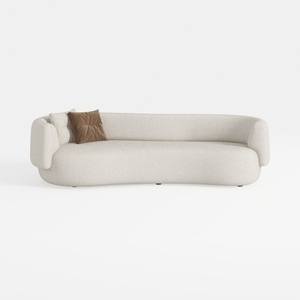
Minimalist Boucle Curved Living Room Sofa 3D Model
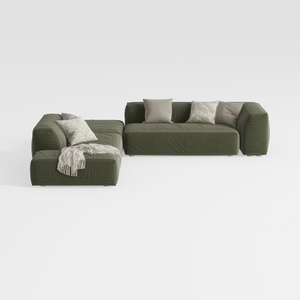
Minimalist Modern Fabric L Shaped Sectional Sofa with Throw Pillows 3D Model

Modern Dark Green Glass Door Display Cabinet Bookshelf 3D Model
Homestyler is your go-to online platform for all things home design! With its user-friendly design tool, stunning 3D renderings, diverse design projects, and helpful video tutorials, you can effortlessly create inspiring spaces and bring your visions to life. Perfect for both novices and pros alike!
Design Now for FREE
































