

Creating a 3D model of a Komodo dragon can be an enriching experience, combining creativity with digital skill. Regardless of whether you are a novice or a seasoned 3D designer, this endeavor includes critical phases—from research and preliminary sketches to sculpting, detailing, and ultimately rendering your artistic work.
Step 1: Research & Collecting References
Begin by sourcing various reference images from multiple perspectives—side, top, front, and close-ups focusing on the scales, eyes, claws, and body structure. Understanding the anatomy of the Komodo dragon is essential for achieving accurate proportions and realistic details in your model.
Step 2: Establishing the Basic Shape
Select your favored 3D modeling application, such as Blender, ZBrush, or Maya. Start by outlining the basic shapes using simple forms like spheres and cylinders to represent the head, body, tail, and limbs. This technique ensures you have the correct proportions before you delve into intricate details.
Step 3: Sculpting & Enhancing Details
Gradually refine your basic meshes by sculpting the muscles, defining the snout, and adding the characteristic thick skin folds of the Komodo dragon. To achieve realism, utilize sculpting brushes that help to replicate the subtle bumps and scales typical of this reptile. Leveraging tools like digital sculpting brushes will aid in mimicking the rough texture of its skin.
Step 4: Retopology & UV Mapping
Once you’re happy with the sculpt, proceed with retopology to generate an efficient, animation-compatible mesh. Unwrapping the UVs is essential for applying textures seamlessly, ensuring all your details translate effectively onto the 3D model.
Step 5: Texturing & Painting
Apply high-resolution textures to introduce color variation, scale patterns, and intricate details. Utilizing software like Substance Painter allows for direct painting onto your model. Focus on the unique earthy colors and granular details characteristic of a Komodo dragon's skin.
Step 6: Lighting & Rendering
Create dynamic lighting setups and render your model for its final showcase. Experiment with various environments and camera perspectives to optimally present your work. Furthermore, using tools from Homestyler can facilitate efficient rendering, delivering photorealistic outcomes quickly and effectively.
From an interior designer’s viewpoint, effective 3D modeling requires the same careful attention to proportion, texture, and shape as arranging furniture in a space. Consider the context for your model's display—be it an exhibition, educational use, or an interactive AR application—to guide your design decisions from the outset.
Tip 1:
Leverage symmetry functions available in your 3D software for efficient workflows, particularly in the early blocking and sculpting phases. Nevertheless, remember to introduce asymmetry during detailing for enhanced realism, since actual Komodo dragons exhibit variations in symmetry!
FAQ
Q: Which software is ideal for designing a 3D model of a Komodo dragon?
A: Popular software options include Blender, ZBrush, and Maya, all known for their robust sculpting and texturing capabilities.
Q: Are there any pre-existing Komodo dragon models to use as a starting point?
A: Certainly, numerous 3D asset marketplaces provide base models, yet custom modeling grants you superior precision and uniqueness.
Q: How can I achieve natural-looking skin textures?
A: Utilize high-resolution reference photos and texture painting tools. Incorporating bump maps and displacement maps effectively mimics the realistic scales of the dragon.
Q: Is it possible to animate my Komodo dragon model?
A: Yes, indeed! With proper retopology and rigging, you can create natural movements for the limbs and tail, which is beneficial for videos, games, or AR interactions.
Q: What distinguishes sculpting from box modeling?
A: Box modeling commences with geometric shapes and extrusions, making it ideal for hard-surface creations. In contrast, sculpting is more suitable for organic models, such as animals, offering greater flexibility in shaping complex forms.


Minimalist Fabric Curved Sofa With Throw Pillow 3D Model

Minimalist Walnut Fabric Loveseat Sofa 3D Model
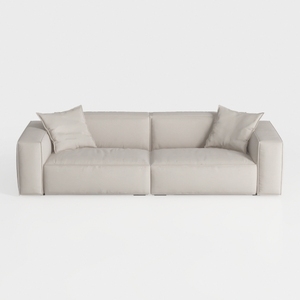
Minimalist Beige Fabric Modern Sofa with Throw Pillows 3D Model
If you're looking to transform your home effortlessly, Homestyler is your go-to online design platform. With its easy-to-use design tools, stunning 3D renderings, engaging design projects, and helpful DIY video tutorials, you'll have everything you need to create your dream space in no time!
立即免费设计
































