

Crafting a lifelike 3D representation of Earth using Blender is an exhilarating endeavor that integrates fundamental skills in modeling, texturing, and lighting. Start by launching Blender, then remove the default cube to make way for your new project. To create the Earth, add a UV Sphere by pressing Shift + A and selecting Mesh > UV Sphere, adjusting the segments and rings to 64 for a smooth finish. To accurately represent the Earth's surface, high-resolution textures such as diffuse, specular, and normal maps are essential. These textures can be sourced from repositories like NASA’s Visible Earth catalog. Import the images via Blender’s Shader Editor and connect them to your sphere's material properties—link the Color node for the base hue, Specular for water reflections, and use Normal maps to add dimension to the terrain. Ensure 'Use Nodes' is enabled in the Material Properties panel, and enhance realism with an HDRI environment map for lighting. For a dynamic touch, animate the sphere’s rotation along the Z-axis. If a more stylized representation interests you, experiment with different shaders or incorporate city lights and cloud layer textures for extra detail. As a designer, I often reflect on how having robust modeling tools can simplify this creative process. When I need to quickly craft planetary scenes or test various interior layouts, platforms like Homestyler provide a similar level of visual experimentation and precision, making both creative tasks intuitive and effective.
Tips:
Utilize reference images of Earth from diverse perspectives to inform your texture application for optimal authenticity. Modify lighting settings to replicate different times of day or atmospheric effects for additional depth. Always categorize your assets with clear labels for straightforward updates in the future.
FAQ
Q: What types of textures are required for a realistic Earth model in Blender?
A: At a minimum, you will need a diffuse (surface color), specular (water shine), and normal (terrain detail) map. Including cloud and night light textures will further enhance the realism of your model.
Q: Where can I access free textures for Earth models?
A: The Visible Earth project by NASA offers public domain textures in various resolutions ideal for 3D modeling projects.
Q: How can I animate the rotation of Earth in Blender?
A: To animate, select the sphere, go to frame 1, insert a rotation keyframe, move to your final frame, rotate the sphere, and add another keyframe. This will playback as a spinning Earth.
Q: What render settings should I choose for optimal output?
A: For the best results, utilize the Cycles renderer for accurate lighting, activate denoising, and render at a higher sample rate to mitigate grainy visuals. Employ HDRI for your environment lighting as well.
Q: Is it possible to add an atmosphere or clouds to my Earth model?
A: Yes, you can create a slightly larger transparent sphere around Earth and apply a texture for clouds or fog. Use blending modes like Add or Screen to achieve a gentle atmospheric effect.
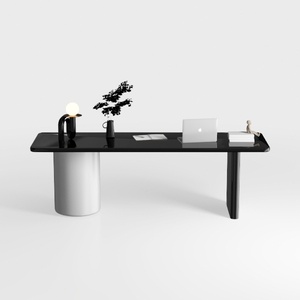
Modern Minimalist Black Glossy White Metal Office Desk 3D Model
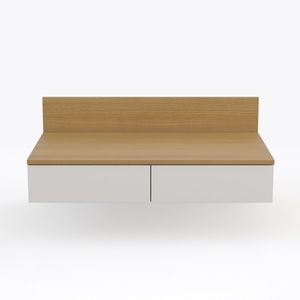
Modway EEI-6312-WHI-NAT Kinetic 49" Wall-Mount Off
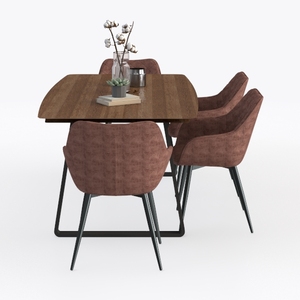
Modern Fabric Metal Solid Wood Dining Table Chair Set 3D Model
Homestyler is your go-to online home design platform! With its user-friendly design tool, stunning 3D rendering, and a treasure trove of design projects and video tutorials, you can effortlessly create and visualize your dream space. Transform your home with ease!
Design Now for FREE
































