

To create a captivating 3D model that performs dance routines, there are several essential steps to follow: beginning with the design of your model, moving on to rigging it for movement, and finally animating the dance sequence. You'll want reliable 3D modeling software like Blender, Maya, or 3ds Max to get started. Your first task will involve constructing or importing a humanoid figure, making sure it is well-designed with appropriate topology to enable smooth movements. After that, the rigging process—where you establish a skeleton (armature) within your model—becomes critical for allowing realistic motion. This process involves integrating bones and controls that determine how the mesh deforms. Once rigged properly, you can advance to the animation stage: planning out your dance routine, keyframing actions, and fine-tuning the timing and transitions for seamless and expressive movement. Accurate reference videos or motion capture data can greatly enhance your work. Ultimately, when completed, you’ll be prepared to export your animated 3D dancing model for use in games, augmented reality (AR), virtual reality (VR) projects, or creative presentations.
Tips 1:
As a designer, I highly recommend utilizing a versatile tool like Homestyler when visualizing vibrant scenes. Merging your 3D dancing model into a thoughtfully designed interior not only boosts realism but also helps in considering aspects like lighting, spatial context, and camera angles. This is akin to how choreographers select a stage to enhance a dance performance; similarly, a designer arranges the ‘stage’ of a room to optimally highlight movement.
FAQ
Q: Which software is best suited for creating 3D dancing models?
A: While Blender, Maya, and 3ds Max are the industry standards, Blender stands out for its free accessibility coupled with robust animation capabilities.
Q: Is programming knowledge required to animate a 3D model?
A: Not at all. Most animation tasks can be accomplished through keyframes and graph editors, but a bit of scripting can be beneficial for automating more intricate movements.
Q: Can I incorporate motion capture data into my animation work?
A: Absolutely! Numerous 3D software suites allow for the importing of motion capture data, contributing to realistic dance motions. Just ensure to check the compatibility of your software with such features.
Q: How can I make sure my model's dance moves appear natural?
A: To achieve lifelike performances, utilize reference videos, focus on body mechanics, and adjust timing curves accordingly.
Q: Where can I present my animated 3D dancing model?
A: You can showcase your work on platforms like Sketchfab, ArtStation, and various social media sites. Additionally, consider using real-time engines for rendering to create interactive experiences.
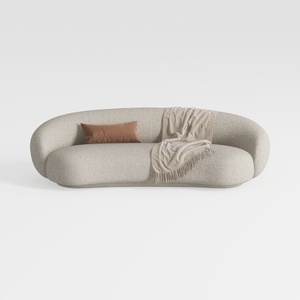

Minimalist Boucle Fabric Curved Sofa With Throw Pillow And Blanket 3D Model
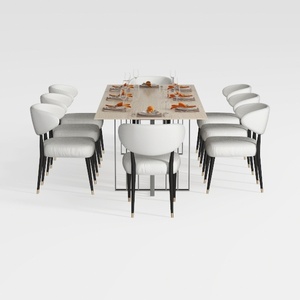
GarveeHome Natural Rattan Dining Chairs Set of 2
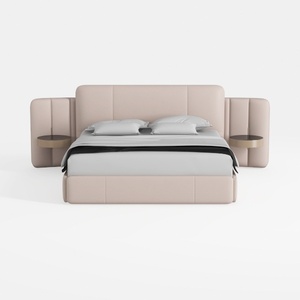
Minimalist Blush Fabric Upholstered King Bed with Attached Side Tables 3D Model
Discover your dream space with Homestyler! This user-friendly online design tool offers stunning 3D renderings, a variety of design projects, and engaging DIY video tutorials. It's perfect for anyone looking to transform their home effortlessly. Bring your vision to life today!
Projete agora para LIVRE
































