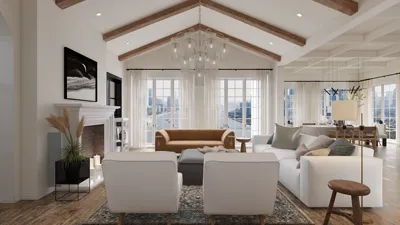


Crafting a 3D room model is a vital ability for interior designers and DIY enthusiasts aiming to effectively visualize their spaces. A well-created 3D room model not only aids in planning your layout and selecting furnishings but also establishes the overall aesthetic of your environment. Here’s an all-encompassing guide on creating a 3D room model to fully utilize your design potential with tools like Homestyler.
Step 1: Select the Ideal Software
The initial step in building your 3D room model is to choose software that aligns with your project requirements. Here are some options worth considering:
Which software do you believe will best fulfill your project needs? Take your time exploring the features that resonate with your personal style, including Homestyler, which is popular for its user-friendly interface.
Step 2: Create Your Room Layout
After selecting your software, the next stage is to draft the floor plan of your room. Precise measurements are crucial for an effective design. Keep these tips in mind:
Do you find the measuring process challenging? Remember, confidence builds with experience; a few attempts can significantly enhance your skills!
Step 3: Incorporate Furnishings and Decor
Now, it's time to enhance your model with furniture and decorative elements. Most design software, including Homestyler, offers extensive libraries of items to select from:
How do you imagine the ambiance of your room? Think about colors, textures, and materials that will bring your vision to life!
Step 4: Visualize with 3D Perspective
After placing your items, switch to the 3D view to see how everything integrates. This phase is pivotal for:
Keep in mind, the objective is to craft a space that works for you and epitomizes your unique style.
Step 5: Export Your Creation
Lastly, once you’re satisfied with your design, export it in the format that meets your requirements. Whether for presentations or sharing with friends, make sure that the file type is suitable for your intended use.
Have you thought about how you could utilize your 3D model? From client meetings to showcasing on social media, the possibilities are boundless thanks to tools like Homestyler.
FAQ
Q: Which software is best suited for beginners? A: Homestyler and Tinkercad are excellent for newcomers due to their simplicity and ease of use.
Q: Can I design a 3D model using my smartphone? A: Definitely! Applications like Planner 5D enable you to create designs directly from your phone, offering flexibility and convenience.
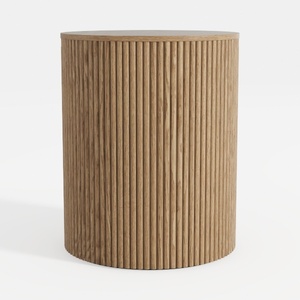
Minimalist Fluted Oak Round Side Table 3D Model

Minimalist Solid Wood Linen Armchair with Throw Pillow 3D Model
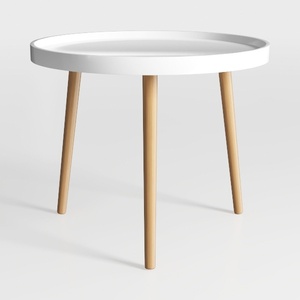
danpinera Round Side Table, Metal Legged Accent
Homestyler is your go-to online home design platform, perfect for creating stunning interiors effortlessly. With its user-friendly design tool, impressive 3D renderings, and a wealth of design projects and video tutorials, transforming your space has never been easier. Unleash your creativity today!
Zaprojektuj teraz za darmo
































