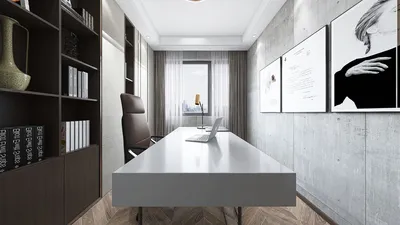


Creating an adjustable-height table from the ground up empowers me to customize elements like ergonomics, materials, and workflow—shaping the desk to match my movement, concentration, and creative processes. A thoughtfully designed DIY project can facilitate beneficial posture variations throughout the day. As noted in the WELL v2 Ergonomic Feature, alternating postures and minimizing prolonged sitting are essential strategies to reduce musculoskeletal stress, particularly when work exceeds two continuous hours in front of a keyboard. Furthermore, research from Steelcase suggests that users tend to shift their posture every 8 to 20 minutes when environments promote movement, a process that adjustable desks can easily support.
In addition to mobility, ensuring visual comfort is crucial. The Illuminating Engineering Society (IES) advises that typical office ambient lighting should be around 300 to 500 lux for general activities, with task lighting tailored to the task's complexity. When designing my desk, I strategically consider cable management and light positioning to avoid glare from glossy surfaces or monitors. Studies by Gensler have demonstrated that having control over one's environment—encompassing light, posture, and acoustics—directly correlates with enhanced focus and satisfaction. Thus, a height-adjustable desk transcends being mere furniture; it becomes a vital behavioral tool. For comprehensive advice regarding ergonomic certifications, WELL’s resources provide structured guidelines for seating, reach zones, and posture adjustments.
Primary Objectives for Crafting a DIY Adjustable Desk
My design process centers on three essential objectives: biomechanical support, visual equilibrium, and acoustic tranquility. Biomechanics addresses the appropriate work surface height and monitor positioning. Visual equilibrium includes considerations of proportion, rhythm, and color adjustments to minimize fatigue. Acoustic tranquility guarantees that the desk does not exacerbate noise due to hard, reflective materials. The result is an inviting workspace that encourages seamless posture changes with minimal cognitive demand.
Fundamental Dimensions and Ergonomic Ratios
For seated work, a typical desk height ranges from 28 to 30 inches for most adults, yet I prefer establishing a base derived from elbow height: the desk surface should be approximately 1 to 2 inches below the bent elbow when shoulders are relaxed. For standing positions, the same elbow principle applies—keeping the forearms parallel to the floor and wrists in a neutral position. The top of the monitor should be aligned near eye level or slightly lower; a viewing angle of 10 to 15 degrees downward alleviates neck strain. Aim for a distance of 20 to 28 inches from the screen depending on its size. These dimensions align with widely recognized ergonomic standards and WELL v2 posture recommendations.
Mechanism Varieties: From Basic to Advanced
The choice of mechanism significantly influences reliability and usability. My experience includes four distinct types:
If your layout is changing or you wish to assess clearances before making any modifications, a layout simulation tool like Homestyler can quickly illustrate the desk's footprint, movement paths, and chair clearance.
Frame Assembly: Prioritizing Stability
Ensuring stability is paramount and is achieved through thoughtful geometry and strong connections. I prefer using steel or hardwood legs with cross members positioned below knee clearance to eliminate wobbling. A wide stands base (approximately 24 to 28 inches between legs for a 48 to 60 inch tabletop) enhances resistance to swaying, while a central spine beneath the tabletop evenly distributes weight. For electric frames, ensure that actuator columns align with the load centerlines, and incorporate rubber isolation washers at connection points to mitigate vibrations.
Surface Material and Edge Configuration
The choice of material impacts touch, sound quality, and environmental sustainability. I typically opt for plywood with hardwood veneer or solid ash/oak treated with low-VOC finishes to limit off-gassing. Laminates provide durability and stain resistance; however, avoid high-gloss finishes near strong task lights to reduce reflective glare. A 3 mm eased edge softens wrist contact, while a waterfall front edge enhances comfort during prolonged typing. Use a matte finish rated between 15 and 25 gloss units (GU) for effective glare management in ambient lighting levels of 300 to 500 lux.
Intelligent Features: Memory Settings and Safety
Electric models gain advantages from programmable height presets—for example, preset 1 can be set for seated elbow height, preset 2 for standing, and preset 3 for focused drafting tasks. I include anti-collision sensors and current limits to safeguard the frame and cables. Effective cable management is critical: incorporating a central tray, braided sleeves, and flexible raceways ensures that bend radii are maintained, preventing snagging and reducing visual clutter.
Understanding Human Factors: Reach Zones and Workflow
I design the desk's surface considering reach arcs: the primary zone spans 14 to 18 inches for the keyboard, mouse, and writing instruments; the secondary zone holds notebooks and small items; the tertiary zone accommodates storage located more than 24 inches away or within drawers. Position heavier items symmetrically to avoid uneven wrist strain. If your workspace requires reconfiguration, an interior layout planner can help visualize zones and walking paths, ensuring standing transitions remain smooth.
Managing Light and Glare at the Workstation
With ambient lighting levels close to 300 to 500 lux, a dimmable task light in the range of 2700 to 4000K color temperature is generally suitable for reading and screen-related tasks. Warmer lighting (2700 to 3000K) is beneficial for late-night activities as it reduces blue light exposure; neutral lighting (3500 to 4000K) maintains clarity for sketching. Position task lighting at a 30 to 45-degree angle relative to the work surface to prevent glare on monitors and reflective surfaces. Matte screens or monitor hoods can be advantageous if your space features large windows or intense downlights. I carefully adjust the light setup to create visual rhythm rather than hotspot glare.
Acoustic Comfort and Vibration Control
A dense surface with an underlayment (such as cork or felt) can diminish high-frequency noises. For electric frames, elastomer feet can isolate vibrations on floors; using a felt-backed mat underneath the desk on hardwood surfaces helps reduce resonance. Maintain separation in cable trays and accessories using rubber grommets to prevent sympathetic rattles when the mechanism is in motion.
The Role of Color Psychology and Material Mood
The choice of color profoundly affects focus and relaxation. Soft blues and greens promote calm, while muted neutrals minimize visual strain around screens. My designs typically incorporate a cool-neutral base with a singular saturated accent to create depth without distraction. The use of natural wood introduces warmth and biophilic elements, making the desk feel integrated within a livable space rather than merely mechanical.
Commitment to Sustainability and Longevity
Choosing FSC-certified woods, low-formaldehyde plywood, and environmentally friendly finishes is vital. I aim for designs that facilitate disassembly: incorporating replaceable actuators, standard fasteners, and accessible cable pathways prolongs the desk's lifespan. I steer clear of permanent adhesives at critical joints; instead, I utilize threaded inserts paired with machine screws to enable future upgrades.
Comprehensive Step-by-Step Construction Outline
Prioritizing Safety, Testing, and Maintenance
Conduct load tests at both endpoints of travel. Ensure anti-collision sensors and thermal cutoffs activate upon obstruction. After one week of use, re-torque bolts and clean tracks while inspecting cable protection sleeves quarterly. If drift occurs with your actuator, recalibrate the presets and inspect for any racking—small braces often solve these issues.
Common Questions Answered
Utilize elbow height: position the desk surface 1 to 2 inches below the bent elbow height while shoulders are relaxed in both seated and standing configurations. Adjust based on wrist position to maintain neutrality during typing.
Yes, this is suitable for moderate loads. Its operation is quiet and requires minimal upkeep. For heavier multi-monitor setups, dual electric actuators enhance load capacity and support memory presets.
Maintain ambient lighting between 300 to 500 lux using a dimmable task light set to 2700 to 4000K. Ensure the light is positioned at a 30 to 45-degree angle to minimize glare on screens and reflective surfaces.
Incorporate a centralized tray, braided sleeves, and adaptable raceways. Ensure there is strain relief near active moving areas and uphold gentle bend radii to avert snagging during lift cycles.
Strongly endorsed for electric mechanisms to safeguard the frame, wires, and surrounding furniture. Many controllers allow for sensitivity modifications.
Options include plywood with hardwood finishes or solid ash/oak coated with low-VOC, waterborne varnishes. Design for easy disassembly using standardized fasteners for ongoing maintenance.
Incorporate elastomer feet, cork or felt underlayments, and rubber grommets to dampen sound on trays and accessories. Ensure the frame includes cross bracing to minimize twisting or wobbling.
Establish designated heights for seated, standing, and task-specific workspaces. Quick adjustments support posture changes every 8 to 20 minutes, promoting ongoing comfort and mental engagement.
Prioritize cool neutrals complemented by a subtle splash of color. Shades of blue and green encourage tranquility; it’s wise to avoid glossy finishes nearby intense task lighting to keep glare under control.
Absolutely. You can replace legs with actuator columns or install a lift frame under your existing top. Afterward, reassess cable management and stability post-retrofit.
Discover the ease of home design with Homestyler! This online platform offers an intuitive design tool, stunning 3D renderings, and a wealth of design projects. Plus, you'll find helpful DIY video tutorials to inspire your creativity. Transform your space effortlessly today!
Design Now for FREE
































