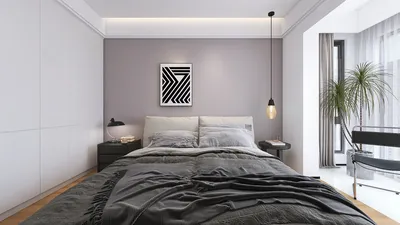


Enhancing the brightness of a dark image poses a frequent challenge, whether you are dealing with photos taken on your smartphone, shots from a digital camera, or scanned pictures. The primary aim is to improve visibility without losing details or adding excessive noise. Many individuals tackle this challenge through photo editing applications—programs such as Adobe Photoshop or Lightroom, as well as mobile applications like Snapseed, which provide adjustments for brightness and exposure. For quick enhancements, find the "Brightness" or "Exposure" sliders and increase them slowly. For a more refined approach, delve into the "Curves" or "Levels" functionalities that allow you to tweak highlights, midtones, and shadows independently for a more balanced appearance. Utilizing the "Shadow" slider can also help lift the darkest sections without overexposing the lighter elements of your image, which can be particularly helpful in 3D rendering projects using tools like Homestyler.
As a designer, I place significant importance on lighting and color correction during both photography and visual presentations. A well-illuminated image can drastically alter the ambiance of a space within your photographs or digital portfolios. In the realm of 3D renderings for home projects, achieving optimal lighting is vital—even within virtual settings. Digitally adjusting exposure and contrast allows you to showcase rooms in a manner that appears more lifelike and alluring, thus making your portfolio or design propositions more impactful. Tools like Homestyler streamline this process, enhancing the realism of your projects.
Tips for Brightening Images:
Always work on a duplicate layer or save a backup file—this method enables you to experiment freely without permanently modifying your original image. If you notice an increase in noise or graininess during the brightening process, applying subtle noise reduction will smooth out any imperfections, ensuring a cleaner result.
Frequently Asked Questions
Q: What is the simplest method to lighten a dark photo?
A: Utilize the brightness or exposure sliders in photo editing applications—these features are widely available in software like Photoshop, Lightroom, and even integrated phone editors.
Q: Is it possible to lighten a dark image without compromising quality?
A: Absolutely! By making gradual adjustments and using the "shadows" and "curves" tools, you can enhance brightness while maintaining image quality.
Q: Which photo editing software is most suitable for this purpose?
A: Adobe Lightroom and Photoshop are considered top-tier options, while mobile applications like Snapseed and VSCO are also effective for straightforward adjustments.
Q: Why does brightening a photo lead to an increase in noise?
A: Brightening dark pictures can uncover digital noise that may have been concealed in the shadows. To mitigate this, utilize noise reduction features available in most editing software.
Q: How can I prevent dark photos in the future?
A: Yes, ensuring adequate ambient lighting during your photography sessions and fine-tuning your camera’s exposure settings can help. In design photography, employing additional lamps or reflectors will contribute to evenly illuminating your scenes, making tools like Homestyler even more effective in showcasing your work.

Modern Marble Solid Wood TV Wall Unit With Bookshelves 3D Model

Minimalist White Textured Metal Leg Sideboard 3D Model
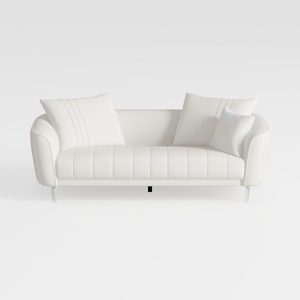
Minimalist White Leather Tufted Sofa With Throw Pillows 3D Model
Looking to transform your living space? Homestyler offers an intuitive online home design tool that makes it simple to envision your ideas. With stunning 3D renderings and a wealth of design projects and video tutorials, you'll find inspiration and guidance every step of the way.
Design Now for FREE
































