


In today’s connected homes, the integration of a versatile TV app transforms how we interact with our living spaces. As streaming services become central to entertainment routines, designing a cozy media nook with ergonomic seating and adjustable lighting enhances both comfort and viewing experience. Thoughtful spatial planning ensures that technology blends seamlessly with home aesthetics, creating an inviting area tailored for relaxation and digital enjoyment.
Choosing the right amount of RAM is crucial for optimal 3D modeling performance, and Homestyler users can especially benefit from understanding how memory impacts their design workflow.
Direct Answer
For the majority of 3D modeling tasks, 32GB of RAM strikes the optimal balance between performance and cost. This memory size ensures fluid operation in popular software like Blender, Maya, and 3ds Max, managing moderately complex scenes without frequent slowdowns.
If your workflows often involve heavy scenes, intricate simulations, or detailed high-resolution textures, upgrading to 64GB or more can significantly enhance your experience.
Quick Takeaways
Introduction
After completing numerous residential visualization and product rendering projects, a recurring question is how much memory is actually necessary for efficient 3D modeling.
While many focus on GPUs or CPUs, RAM often plays a silent yet pivotal role in maintaining smooth operation. I have seen skilled designers lose valuable time due to insufficient memory resources when handling complex scenes.
This guide outlines realistic RAM requirements tailored to modern 3D modeling environments, ranging from basic modeling to complex architectural renders, which are relevant for those using platforms like Homestyler.
Why Does RAM Matter So Much in 3D Modeling?
Core Concept: RAM dictates how much scene data your computer can handle simultaneously without performance degradation.
Each 3D project involves geometry, textures, lighting information, simulation data, and viewport previews, all of which must reside in system memory during active work.
When system RAM is saturated, the machine resorts to slower disk-based storage as virtual memory, causing noticeable lag, crashes, or sluggish viewport behavior.
In complex architectural scenes, texture assets alone may consume multiple gigabytes even before rendering commences.
Is 16GB RAM Enough for 3D Modeling?
Insight: 16GB can suit beginners and light modelers but quickly becomes a bottleneck under more demanding professional workloads.
For simple props, small scenes, or educational purposes, 16GB is often adequate and commonly used by students starting out.
However, once projects scale up, memory limitations become apparent.
One common misconception is upgrading GPU while retaining only 16GB RAM, which often fails to resolve performance issues in real-world workflows.
Why 32GB RAM Is the Sweet Spot for Most Artists
Insight: 32GB enables handling of complex scenes, multi-application multitasking, and modern rendering engines more effectively.
My experience working with architectural visualization teams shows that 32GB is the point where systems feel stable rather than constrained.
With 32GB, users can comfortably run demanding design software such as Homestyler alongside other applications without slowdown.
Many studios adopt 32GB as their standard minimum RAM configuration for artist workstations.
When Do You Actually Need 64GB or More?
Insight: Memory of 64GB or higher is advantageous when working on large-scale environments, detailed simulations, or ultra-high resolution assets.
Certain projects inherently require vast memory capacities.
For example, city-scale visualization renders often exceed 40GB RAM usage prior to rendering, necessitating 64GB for smooth operation.
At such scales, having 64GB RAM is not a luxury but an operational necessity.
What Other Hardware Matters Besides Memory?
Insight: RAM interacts closely with CPU, GPU, and storage; a bottleneck in any of these can limit overall system efficiency.
Memory availability alone won’t guarantee fast processing; a balanced system build is essential.
A frequently overlooked performance drain is slow storage devices. Upgrading from HDD to NVMe SSD can drastically reduce project load times, especially with large scenes.
How to Choose the Right RAM for Your Workflow
Insight: Ideal RAM size depends on project complexity, software demands, and multitasking needs.
A practical recommendation for new workstation builds is starting at 32GB RAM, providing ample headroom with upgrade potential as needed.
Answer Box
Typically, 32GB RAM is the most suitable choice for 3D modeling workflows. It supports complex scenes, multitasking, and latest rendering techniques without frequent slowdown.
Beginners can operate with 16GB RAM, while professionals engaged in massive environments benefit from 64GB or above.
Final Summary
FAQ
Is 32GB RAM enough for Blender?
Absolutely. For most Blender projects, 32GB allows seamless modeling, sculpting, and rendering sessions.
How much RAM is good for 3D modeling beginners?
Beginners working with Blender, Maya, or Cinema 4D usually find 16GB sufficient for foundational modeling tasks.
Do I need 64GB RAM for 3D modeling?
64GB is recommended primarily for large scenes, detailed simulations, or very high-resolution textures.
Does more RAM improve rendering speed?
Not necessarily; while RAM prevents slowdowns and crashes, actual rendering speeds depend more on CPU and GPU power.
Is RAM or GPU more important for 3D modeling?
They both have distinct roles: RAM manages scene data capacity, whereas GPU focuses on real-time previews and GPU-based rendering.
Can 8GB RAM run 3D modeling software?
It can, but performance will be quite limited and practical only for very simple scenes.
How much memory is good for architectural visualization?
Most professionals in architectural visualization use between 32GB and 64GB RAM to comfortably handle detailed environments and large texture assets.
Should I upgrade RAM or GPU first for 3D modeling?
If your system has 16GB or less, increasing RAM to 32GB often yields the most significant performance benefit.
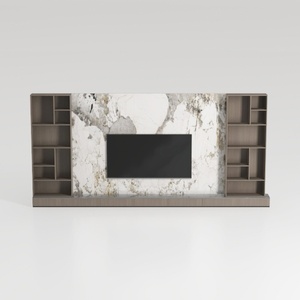
Modern Marble Solid Wood TV Wall Unit With Bookshelves 3D Model

Minimalist Marble Coffee Table 3D Model
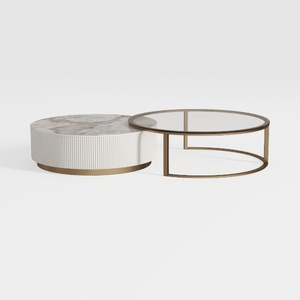

Modern Marble Gold Metal Glass Round Nesting Coffee Table 3D Model
Homestyler offers an easy-to-use online design tool with stunning 3D renderings, inspiring design projects, and helpful video tutorials. It’s perfect for anyone looking to create and visualize beautiful home interiors effortlessly. Give your space a fresh look today with Homestyler!
Zaprojektuj teraz za darmo
































