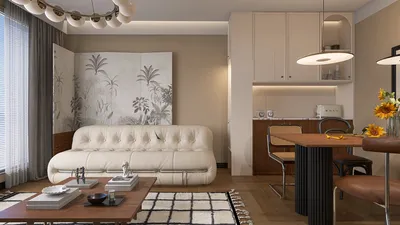



After spending years troubleshooting rooms that never seem to achieve the perfect temperature balance, I've found common issues like chills near vents, warmth by windows, and significant temperature fluctuations throughout the day. Often, these problems stem not from the air conditioning unit itself but rather from flawed sensing and control logic. Implementing a properly chosen and strategically placed AC room temperature sensor can greatly enhance comfort levels, minimize short cycling, and reduce unnecessary energy consumption by allowing your system to respond accurately to how you inhabit your space, especially when using tools like Homestyler.
Thermal comfort is quantifiable. According to WELL v2, recommended temperatures for occupied spaces generally range from 20 to 23°C (68 to 73.4°F), maintaining controlled humidity and airflow to promote well-being. Research from Gensler suggests that comfort levels are closely linked to perceived performance, a correlation that extends into our homes. Additionally, guidance from the Illuminating Engineering Society (IES) illustrates how lighting heat gain and natural light impact thermal loads—elements that your sensing and control strategies must effectively manage. For in-depth insights into environmental quality, WELL’s performance-based standards provide actionable ranges and testing protocols that can help inform best practices for residential settings (see wellcertified.com).
On the behavioral front, Steelcase research has long established a connection between temperature perceptions and task requirements. When residents can somewhat control their environmental conditions, even in small ways, their satisfaction levels tend to increase. This is where advanced sensors and dispersed sensing zones demonstrate their value. In compact apartments or homes, a single, well-placed sensor can significantly enhance AC efficiency. Conversely, in larger households or multi-story configurations, deploying remote sensors alongside averaging logic can help mitigate temperature swings and prevent uncomfortable hot or cold spots from compromising system performance.
How AC Room Temperature Sensors Enhance Comfort
Achieving comfort relies on precise measurements and sophisticated control mechanisms. A modern sensor tracks the dry-bulb temperature, and more advanced models also monitor relative humidity and occupancy levels. When integrated with a compatible thermostat, your AC system can adjust its cycles to maintain a narrow comfort band (typically within ±0.5 to 1.0°F). This consistent comfort reduces the discomfort commonly associated with traditional setups, which often fluctuate between being too cold after a cycle and too warm before the next one.
Placement Strategy: The Best Locations for Your Sensors
The correct placement of your sensor is crucial. In my experience, I usually mount the primary sensor 48 to 60 inches (120 to 150 cm) above the finished floor on an interior wall, ensuring it is away from airflow sources such as supply diffusers, return grilles, exterior walls, kitchens, and direct sunlight. It's also important to steer clear of heat sources (like TVs and lamps), cold drafts from leaky windows, and localized temperature variations behind curtains. For elongated or open-plan living areas, consider utilizing two or three remote sensors with an averaging feature enabled to prevent skewed readings caused by immediate drafts or sunlight.
For multi-room layouts or L-shaped designs, a quick digital simulation can assist in determining ideal sensor placements relative to the supply registers and various heat loads. With a room layout tool, you can visualize airflow paths and potential hotspots, enabling you to experiment with different sensor locations prior to final installation: digital room layout tool.
Accuracy, Response Time, and Calibration Considerations
Seek sensors that offer an accuracy of ±0.5°F (±0.3°C) and maintain stable calibration over time. Quick response times (less thermal mass) can be advantageous in areas with fluctuating loads, but if your sensor is exposed to drafts, a slightly damped response can prevent overcorrections. Post-installation, verify readings against a reliable thermometer placed nearby and adjust the thermostat’s offset as necessary. It’s also wise to reevaluate sensor accuracy seasonally, as construction materials and furnishings can alter local microclimates.
Temperature vs. Humidity: The Critical Pairing for Comfort
Human comfort is influenced by a mix of air temperature, humidity levels, airflow speed, mean radiant temperature, and clothing choices. In practice, maintaining indoor relative humidity between 40% and 60% is often considered optimal for both comfort and health. Excessive humidity can make a room at 75°F feel sticky, while low humidity can make 70°F feel sharp and dry, which can negatively impact skin and sinuses. If your AC or thermostat allows, integrate the sensor into a dehumidification strategy. This typically involves longer, gentler cooling cycles to extract moisture from the air without overshooting the desired temperature setpoint.
Room-Specific Considerations: Bedrooms, Living Areas, Kitchens
• Bedrooms: Many individuals find the most restful sleep occurs around 65 to 67°F (18 to 19°C), although preferences can vary. Position the sensor away from the supply grille; if cool air descends directly onto it, the device may underreport room temperature, leading to excessive cooling. Consider implementing night setback strategies and utilizing fan-only pre-cooling to stabilize temperatures before bedtime.
• Living Areas: Open-plan designs benefit from using multiple sensors with averaging capabilities to counterbalance heat from kitchens and sunlight. Daytime settings of 72 to 75°F (22 to 24°C) with controlled humidity levels tend to promote comfort during diverse activities.
• Kitchens: The main sensor should not be located here. Heat from cooking and appliance loads can distort readings. If local monitoring is necessary, use it for awareness rather than to dictate the entire HVAC system's response.
Zoning and Remote Sensors: Maximizing Comfort with Multiple Sensors
In two-story homes, temperature differences between floors can range from 2 to 4°F. Position remote sensors in frequently used rooms to provide weighted averages to your thermostat, or let the active room, where occupancy is detected, influence the targeted temperature setpoint. Although motorized dampers deliver the highest zoning precision, even without them, intelligent sensing can alleviate comfort complaints by prioritizing the spaces where people spend the most time instead of hallways.
Understanding Behavior Patterns and Daily Schedules
The effectiveness of your sensor is closely linked to its scheduling logic. Map out your routines: cooler temperatures for physical activities, slightly warmer settings for relaxation, and overnight setbacks to promote sleep. Implement gradual temperature adjustments—such as 1°F increments—to prevent sudden shifts. If your system features variable speeds, it's best to combine the sensor with prolonged, low-intensity cycles, which contribute to quieter operation and minimized temperature variation.
Light, Solar Gain, and Their Impact on Mean Radiant Temperature
Morning sunlight streaming onto furniture can cause occupants to perceive warmth even when air temperatures are technically appropriate. Consider integrating shading solutions and glare management into your HVAC scheduling. The IES lighting guidance and WELL’s recommendations focus on regulating brightness contrast to minimize glare—practically, utilizing shades and lighter materials can diminish radiant asymmetry and maintain a consistent perceived temperature without excessively cooling the entire room.
Acoustics and Airflow: Enhancing Comfort Beyond Temperature
The comfort of your environment extends beyond mere temperature; acoustic comfort and smooth airflow play significant roles. Drafts as minimal as 0.3 to 0.5 m/s can feel chilly on skin, especially in low-humidity conditions. If your sensor frequently calls for aggressive cooling and increases blower speed, consider reducing the maximum fan speed or airflow rate.Balance supply registers to ensure air is distributed quietly; a noisy diffuser often indicates excessive velocity or sizing mismatches.
Materials and Finishes: Their Influence on Thermal Sensations
The types of materials used in your space impact the mean radiant temperature. For instance, dark stone near a lit window may re-radiate heat long into the evening, while soft fabrics can cushion against temperature fluctuations by slowing airflow in seating areas. When designing living rooms, I make sure to position main seating away from direct sunlight and emphasize adjustable shading to prevent sensors from reacting to peak temperatures caused by radiant hotspots.
Energy Efficiency and Cost Savings: How Smarter Sensing Can Lower Bills
By tightening control parameters and avoiding overcooling, you can effectively reduce the runtime of compressors. Many households experience energy bill savings of 5 to 10% simply by adjusting sensor placements and utilizing staged or variable-speed operations with humidity control. Minor tweaks—such as setting the thermostat 1°F higher while enhancing humidity removal—are often unnoticeable to residents but can lead to significant savings on utility bills.
Essential Installation Checklist for Projects
• Verify the accuracy of the sensor with a calibrated reference; set offsets if necessary.
• Install on an interior wall, 48 to 60 inches above floor level, away from direct sunlight, kitchens, and supply air.
• If the hardware supports it, enable humidity integration to target 40 to 60% relative humidity.
• If using remote sensors, activate averaging or occupancy biasing based on room priorities.
• Create schedules that align with daily routines; avoid sharp changes in temperature settings.
• Adjust fan speeds and diffuser settings to minimize drafts and noise.
• Routinely check readings in different seasons; modify shading and schedules as sunlight angles change.
Recommended Standards and Research to Optimize Your Setup
For residential designers and mindful homeowners, guidelines regarding performance ranges and human factors are well established. WELL v2 (wellcertified.com) provides insights into thermal comfort and environmental quality strategies, while Gensler’s research library offers valuable perspectives on how comfort and control affect satisfaction in inhabited spaces (gensler.com/research). Utilize these resources to set realistic expectations without rigidly mirroring commercial benchmarks.
Frequently Asked Questions
Q1. What target temperature range is best for most living areas?
Aim for 72 to 75°F (22 to 24°C) during the day with 40 to 60% relative humidity. Adjust by 1 to 2°F depending on your activity levels and clothing choices. Bedrooms can be set cooler for optimal sleep.
Q2. How accurate must my room sensor be?
Look for sensors that maintain an accuracy of ±0.5°F (±0.3°C). Double-check against a reliable thermometer and make adjustments if readings consistently vary.
Q3. What is the best place to mount the sensor?
Place it on an interior wall, 48 to 60 inches above the floor, away from airflow sources like supply vents, sunny walls, kitchens, and any heat-emitting electronics. Avoid installing sensors on exterior walls or in dead air corners.
Q4. Do I need multiple sensors?
In open floor plans or multi-story homes, utilizing remote sensors with an averaging function can enhance comfort levels. Prioritize sensor placement in rooms that you use most, such as the living room and primary bedroom.
Q5. Should my sensor also track humidity levels?
Absolutely, if available. Humidity affects how temperature is perceived. Integrating this feature allows your system to manage dehumidification effectively without unnecessary cooling.
Q6. Can improved sensing help reduce my energy costs?
Indeed. Enhanced control reduces short cycling and excessive cooling. A mere 1°F increase in setting combined with effective humidity control is often unnoticeable but translates to energy savings.
Q7. My hallway thermostat appears accurate, yet the living room feels warmer—what could be the issue?
Hallways often fail to accurately represent the conditions of occupied areas. Utilize a remote sensor or relocate the primary sensor to the main seating area for better accuracy.
Q8. How do blinds and daylight impact sensor readings?
Direct sunlight raises surface temperatures and mean radiant temperature, causing discomfort. To maintain accurate readings, consider using shades to block sunlight during peak hours, preventing unnecessary cooling.
Q9. How do variable-speed systems perform with sensors?
Variable-speed systems work exceptionally well with precise sensors. Longer, efficient cycles help stabilize both temperature and humidity levels, minimize noise, and enhance overall comfort.
Q10. How frequently should I recalibrate or check my sensor?
Perform checks upon installation and at least once every season. After changing furnishings, adding equipment, or adjusting shades, it's crucial to verify the sensor's readings.
Q11. Will a smart thermostat resolve sensor placement issues?
Only if you take advantage of its remote sensor functionalities or move the primary unit. Smart logic cannot compensate for poor placement within microclimates.
Q12. Is there an advantage to averaging sensor data across multiple rooms?
Definitely. Averaging helps mitigate the influence of extreme variations in specific areas, ensuring that the system responds more evenly, thereby providing greater comfort across all spaces.
Homestyler's roots trace back to Autodesk, the global leader in design and engineering software. That heritage lives on in every feature we build. Today, with a community of more than 20+ million registered users (platform data, 2026) worldwide, Homestyler continues to make professional-quality interior design accessible to everyone — from first-time decorators to seasoned architects.
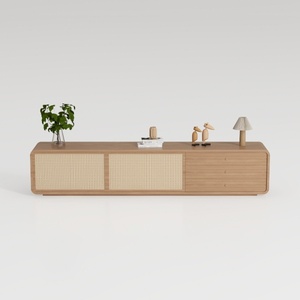
Minimalist Japandi Oak Rattan TV Cabinet 3D Model
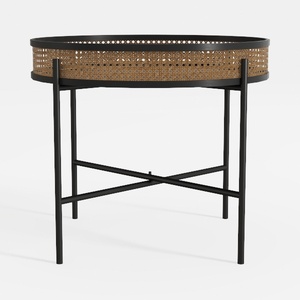
Modern Black Metal Rattan Oval Side Table 3D Model

Modern Solid Oak 6 Drawer Dresser with Black Metal Legs 3D Model
Homestyler makes home design a breeze! Whether you're looking to play around with layouts or explore 3D renderings, this online platform offers user-friendly tools and extensive video tutorials to inspire your creativity. Transform your space with ease and confidence using Homestyler!
Design Now for FREE







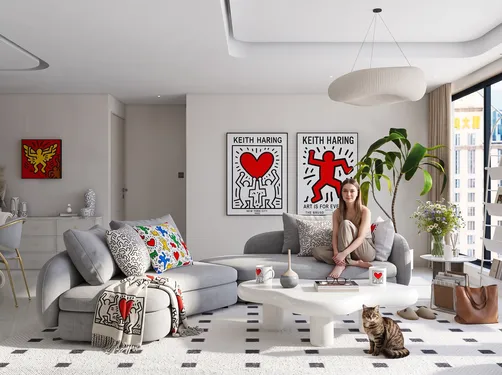
























![[For dear Adelina madee 🤎]](https://hs-designs.homestyler.com/production/design/images/8a07e535-9cbc-4132-a42a-5932dac3a112/1706972286037.jpg?x-oss-process=image/resize,w_502,m_mfit/format,webp)