

Are you trying to log into your Homestyler account? The login process is straightforward and fast. Just follow these simple steps to get started and make the most of your home design tools.
1. Go to the Homestyler website. The login option is typically found in the upper right corner of the main page.
2. Click on the login button. This will redirect you to the page where you can enter your login information.
3. Input your email and password. Be sure your information is accurate to prevent any login problems.
4. Press 'Log In' and you'll be taken to your user dashboard. If you run into any issues, confirm that your internet connection is stable.
Helpful Tips for a Smooth Login Experience:
If you encounter difficulties while trying to log in, consider these helpful tips:
- Verify that your email and password are free of any errors.
- If you can't remember your password, use the 'Forgot Password?' link on the login page to reset it.
- Make sure your browser is updated for the best performance.
Frequently Asked Questions
Q: What should I do if I can't remember my Homestyler password?
A: Click on the 'Forgot Password?' link on the login screen to receive a password reset link via email.
Q: Is it possible to access Homestyler on mobile devices?
A: Absolutely, you can log into Homestyler from any internet-enabled device, including smartphones and tablets.

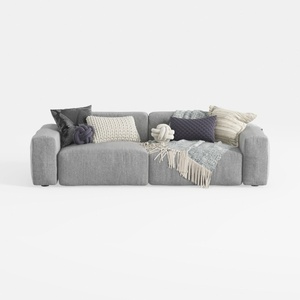
Minimalist Fabric Large Sectional Sofa with Decorative Pillows 3D Model

Modern Marble Solid Wood TV Wall Unit With Bookshelves 3D Model
Looking to transform your space? Homestyler is your go-to online home design platform! With its user-friendly design tool, stunning 3D renderings, and inspiring DIY video tutorials, you can effortlessly create and visualize your dream home. Start your design journey today!
立即免费设计
































