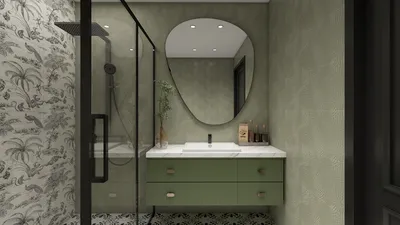


Crafting a 3D model on your computer may initially seem overwhelming, but it offers an exhilarating and fulfilling experience! Whether you're engaged in game design, animation, or architectural visualization, grasping the fundamentals will kickstart your creative journey.
Selecting the Ideal Software:
The first important step involves choosing the right software that aligns with your specific needs. Well-known choices include Blender, SketchUp, and Autodesk Maya. Notably, Homestyler is another excellent option that provides a user-friendly approach for beginners. Blender is free and packed with features, making it suitable for both novices and experts. What kind of project do you aspire to tackle?
Grasping the Fundamentals of 3D Modeling:
After selecting your software, it’s crucial to get acquainted with its functionalities. Most 3D modeling applications, including Homestyler, enable you to construct shapes using fundamental objects like cubes, spheres, and cylinders. These shapes can be adjusted through scaling, rotating, or repositioning. Have you ever molded with Play-Doh? Imagine 3D modeling as a digital clay crafting experience.
Creating Your Initial Model:
Begin with a rough sketch of your envisioned 3D model on paper. In your chosen software, commence with basic shapes to outline your model's structure. As you progress, refine these shapes by incorporating details such as textures and colors. Keep in mind, practice leads to improvement! What imaginative design are you eager to bring to life first? Consider diving into various themes to boost your creative inspiration.
Exporting Your Model:
Upon completion, save and export your model in formats like .OBJ or .FBX for future applications or sharing purposes. Ensure compatibility with other software or engines you plan to use. Ready to showcase your creation? Engaging with online communities can yield valuable constructive feedback and support as you hone your skills.
Frequently Asked Questions
Q: Which software is best for creating a 3D model? A: Blender is often recommended for newcomers due to its free availability and extensive toolset, while Homestyler offers an intuitive design experience. Numerous tutorials are available to assist you in getting started.
Q: How much time is required to learn 3D modeling? A: The timeline for learning can differ, but with steady practice, you could begin producing basic models within weeks. Participating in online forums may offer additional resources and motivate your progress.
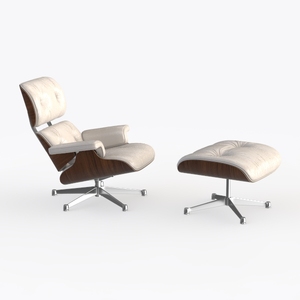
Mid Century Walnut Leather Lounge Armchair and Ottoman 3D Model
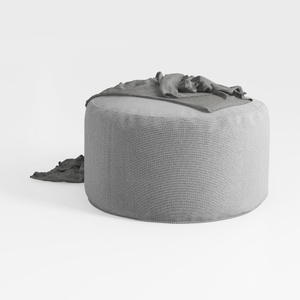
Minimalist Gray Fabric Round Ottoman 3D Model

Homestyler is an outstanding online home design platform that makes transforming your space effortless. With its user-friendly design tool, stunning 3D renderings, and a wealth of inspiring design projects and video tutorials, you can easily create your dream home—no experience necessary!
지금 무료로 디자인하세요
































