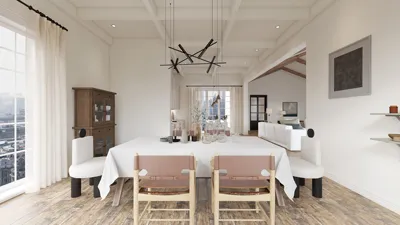


In the realm of interior design, the right tools can significantly impact your workflow, particularly in rendering. Utilizing free rendering programs enables you to visualize your interior concepts and materialize your creative ideas without incurring hefty expenses. Let’s explore some of the most effective free rendering software options currently available, including the versatile Homestyler.
1. Blender
Blender stands out as a robust open-source 3D modeling and rendering application that users can access for free. Its suite of advanced features—including sculpting, texturing, and animation—makes it a preferred choice for many in the design community. The Cycles rendering engine included in Blender is known for delivering stunningly realistic results, complete with sophisticated lighting and shading capabilities.
2. SketchUp Free
SketchUp Free represents the cloud-based iteration of the well-loved 3D modeling platform. Although its features are somewhat limited compared to the Pro version, it's highly user-friendly, making it ideal for quick designs and basic rendering tasks. You can effortlessly create 3D models and export them in various formats, and many designers find its integration with Homestyler extremely beneficial.
3. LuxCoreRender
LuxCoreRender is an open-source, physically based rendering engine celebrated for its realistic graphic output. Compatibility with a range of 3D modeling applications enhances its utility, and its sophisticated features allow users to produce high-caliber renders that stand out in any design project.
4. Twinmotion (Free for Limited Time)
Twinmotion is a state-of-the-art real-time 3D visualization tool that empowers designers to craft high-quality images, panoramas, and standard or 360° VR videos. With a free version available for a limited period, it serves as an excellent platform to test out the software's extensive capabilities before making a commitment.
5. V-Ray for SketchUp (Trial Version)
V-Ray offers a trial version tailored for SketchUp users, allowing them to experience its powerful rendering abilities at no cost. While it isn’t fully free, the trial provides a fantastic opportunity to delve into its robust features for a limited time, making it an exciting option to consider alongside Homestyler.
6. Daz 3D
Daz 3D is a complimentary 3D creation tool that makes it easy for users to generate stunning visuals featuring realistic human characters and environments. This software is especially advantageous for designers aiming to integrate lifelike figures into their projects, providing them with a unique selling point.
7. FreeCAD
FreeCAD serves as another open-source, parametric 3D CAD modeler. While its primary purpose centers around design, it includes rendering functionalities that can greatly assist interior designers in conceptualizing and visualizing their ideas effectively.
Conclusion
Selecting the right rendering software can significantly elevate your design process, particularly when working in confined spaces where visualization is paramount. Each of these free applications brings unique strengths to the table; therefore, it’s essential to assess your individual needs and explore these options to discover the best fit for your interior design projects, including the use of Homestyler for enhanced capabilities.
FAQ
Q: What is the best free rendering software for beginners? A: Both Blender and SketchUp Free are excellent starting points due to their intuitive interfaces and ample online resources available for learning.
Q: Can I use free rendering software for commercial projects? A: Many open-source solutions, such as Blender and LuxCoreRender, permit commercial use; however, it is always advisable to review the licensing agreements pertinent to each specific software.
Welcome to the leading home design software solutions available today!
Design Now for FREE
































