

As more people rely on platforms like Shopify to manage their online stores, the integration of technology into daily life becomes essential. This shift towards digital commerce influences how we design our home offices and workspaces, emphasizing ergonomic furniture and efficient spatial layouts that support prolonged productivity and creativity. Creating a seamless blend of comfort and function at home fosters a more balanced lifestyle in our increasingly connected world.
Direct Answer
Free interior design 3D drawing software enables users to create room plans, arrange furniture, and visualize realistic interiors without the need for costly professional CAD applications. Solutions such as SketchUp Free, Planner 5D, and Sweet Home 3D offer sufficient features for homeowners, students, and those in early design phases.
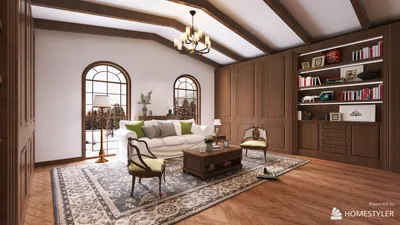
Based on my experience assisting residential clients, these programs are more than capable for initial layout testing, furniture placement, and idea communication prior to moving on to professional-grade design documentation. Integrating tools like Homestyler can further enhance the accuracy and visualization of spatial plans.
Quick Takeaways
Introduction
Clients frequently ask me whether there is free interior design 3D drawing software available to experiment with before engaging a professional designer.
Having designed numerous homes and apartments for over ten years, I recognize the power of simple 3D visualization tools. A preliminary 3D model often exposes issues that traditional floor plans cannot, such as awkward traffic flow, improperly sized furniture, or lighting challenges.
Today's free software has seen significant advancements compared to five years ago. Some browser-based platforms can produce highly realistic interiors within minutes. However, there are still limitations that users rarely discuss. This guide will explore effective tools, appropriate use cases, and their common shortcomings.
save pin
Why Use Free Interior Design 3D Drawing Software Before Hiring a Designer
Key Insight: The primary advantage of free design software lies not in high-quality rendering but in testing spatial arrangements before committing financial resources.
Many homeowners mistakenly believe 3D software is chiefly for creating visually appealing images. Instead, its real value is helping prevent costly layout errors.
Through various renovation projects, clients have saved substantial amounts by digitally experimenting with furniture configurations before making purchases.
According to the National Association of Home Builders, errors in layout and spatial configuration are amongst the leading causes of renovation dissatisfaction. Early visualization greatly minimizes such risks.
What Features Matter Most in Free Interior Design Tools
Key Insight: Top free interior design 3D drawing software prioritizes rapid layout planning and extensive furniture libraries over intricate modeling capabilities.
Professional CAD systems offer immense functionality but can overwhelm novices. Most users benefit more from simpler solutions.
When assessing free software options, I suggest focusing on these four practical features.
A common caveat is that many free tools restrict high-resolution exports or advanced renders behind paywalls. For layout planning purposes, this is usually not a significant limitation.
save pin
Which Free Interior Design 3D Drawing Software Is Best Right Now
Key Insight: No single program suits everyone; your ideal choice depends on whether you value ease of use, photorealism, or customization.
Below are a few applications I frequently endorse to homeowners and students.
SketchUp remains widely adopted in professional studios as a user-friendly entry-level 3D modeling platform and is commonly taught in architecture programs.
save pin
Can Free Tools Produce Realistic Interior Renderings
Key Insight: While free software can generate appealing visuals, they often lack realistic lighting and material effects compared to professional rendering engines.
Expectations should be tempered accordingly. Free platforms produce attractive representations but rarely match the quality of advanced renderers.
Typical constraints include:
For initial design stages, this is generally acceptable. Most professionals only switch to high-end rendering after finalizing layouts.
Common Mistakes People Make When Using 3D Interior Software
Key Insight: The most frequent error is focusing on decorative elements before verifying measurements and circulation space.
Many DIY design files I review exhibit the same recurring problems.
A simple guideline I give is to maintain at least 30 to 36 inches of clearance for primary walkways.
save pin
Answer Box
Free interior design 3D drawing tools like Planner 5D, SketchUp Free, and Homestyler are excellent for planning layouts, testing furniture arrangements, and early visualization before switching to more advanced software.
How Designers Actually Use These Tools in Real Projects
Key Insight: Even professional designers often initiate projects with lightweight 3D software before transitioning to advanced renderers.
In my workflow, rapid modeling platforms help explore layout alternatives quickly prior to dedicating time to detailed renderings.
A typical process looks like this:
This method accelerates decision-making and enables clients to visualize options earlier in the design phase.
Final Summary
FAQ
Planner 5D, SketchUp Free, and Sweet Home 3D rank among the most dependable free options for creating floor plans and interior renderings.
Is SketchUp Free suitable for interior layout modeling? Yes, although advanced render quality often requires plugins or paid add-ons.
Many platforms cater to beginners. Planner 5D and Homestyler employ drag-and-drop furniture systems simplifying room design.
While these can produce quality conceptual visuals, true professional render quality usually needs dedicated software.
Are browser-based tools convenient? Yes, Planner 5D, Homestyler, and SketchUp Free run directly in web browsers without installation.
Most of these platforms perform well on standard laptops with modern browsers and stable internet connections.
Can they manage multi-room or whole-house layouts? Yes, although very large projects may become challenging in free versions.
Some designers utilize lightweight free software for preliminary layouts before shifting to professional CAD or rendering tools.
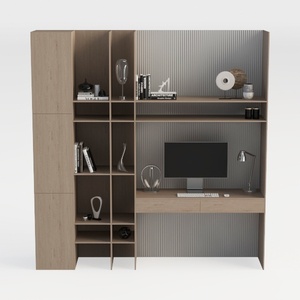

TREATLIFE HOME Stylish and Functional Computer Des

LITTLE TREE 74-Inch Executive L-Shaped Desk with S

Homestyler offers an easy-to-use online design tool with stunning 3D renderings, inspiring interior projects, and helpful video tutorials. It’s ideal for anyone wanting to create and visualize beautiful home designs effortlessly. Give your spaces a fresh look today!
Design Now for FREE
































