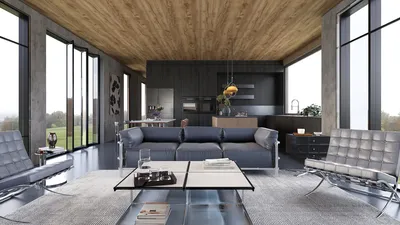


Addressing uneven legs in models created with Blender frequently poses a challenge, whether you're a novice or an experienced 3D creator. Factors such as modeling errors, mesh distortions, or incorrect rigging can lead to this issue. However, implementing a structured approach can help restore symmetry and achieve a polished look. Begin by accessing Edit Mode using the Tab key, then select the vertices or faces associated with the legs. Utilize orthographic views (Numpad 1/3/7) to closely examine the alignment and scale of each leg. You can employ Blender’s transformation tools—press G to move and S to scale to properly align the vertices. For models that require symmetry, the Mirror modifier proves to be an essential tool: simply delete one half and apply the modifier along the median axis, enabling Blender to generate a mirrored, even counterpart. For rigged models, it’s crucial to verify bone placements in Pose Mode and apply constraints or reposition bones as necessary to ensure that the animation harmonizes with the mesh. Personally, I find that utilizing Blender’s snapping features and measurement tools is fundamental for maintaining accuracy—a necessity for clean, functional designs.
Suggestions
As an interior designer, maintaining accuracy and proportion is vital not only in tangible spaces but also in digital representations. When you frequently import personalized 3D furniture or other assets into your room presentations, ensuring that features such as table legs or chair supports are uniformly symmetrical is key for photorealistic renders. If you're keen to observe how these adjustments impact room layouts or improve visual quality, consider engaging with a platform like Homestyler. It’s a fantastic way to visualize your model modifications in a professional interior design environment.
Frequently Asked Questions
Q: What causes the legs on my model to be uneven in Blender?
A: Uneven legs typically arise from manual editing mistakes, insufficient use of symmetry features, or challenges that occur during mesh manipulation and rigging.
Q: What is the quickest method to correct uneven legs in Blender?
A: For symmetrical designs, utilize the Mirror modifier. Alternatively, you can manually arrange vertices with Blender’s transformation and snapping features for asymmetrical adjustments.
Q: Is it possible to use Blender’s sculpting tools to rectify uneven legs?
A: Certainly, though sculpting tools are more suitable for organic forms. For hard surfaces or mechanical symmetry, tools available in Edit Mode offer higher precision.
Q: How can I prevent uneven legs during modeling?
A: Implement symmetry and mirroring techniques from the beginning, and consistently review your model from various orthographic perspectives throughout the modeling process.
Q: What should I do if I correct the leg position but notice the texture appears stretched?
A: Navigate to UV Editing, select the affected region, and adjust the UV map to ensure that the texture is distributed evenly following any modifications to the geometry.
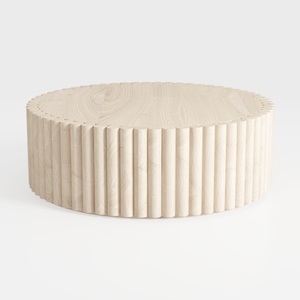
Drum Oval Coffee Table Mid Century Modern Coffee
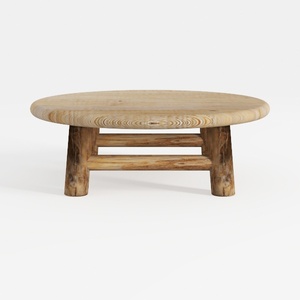

Round Wood Coffee Table - 29.53" Wooden Coffee
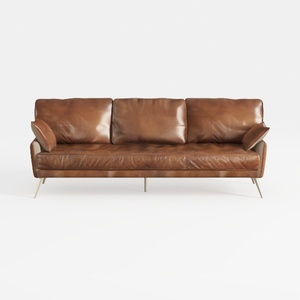
Modern Vintage Leather 3 Seater Sofa With Metal Legs 3D Model
Experience the ease of home design with Homestyler! This user-friendly platform offers a cutting-edge online design tool, stunning 3D renderings, and a wealth of design projects. Plus, you can learn through engaging DIY video tutorials. Transform your space effortlessly and creatively!
今すぐ无料でデザイン
































