

Acquiring 3D models from video games can be an enriching endeavor for designers, enthusiasts, or content creators who wish to utilize these assets for fan art, modding, or educational projects. Frequently, these models are embedded within the game files and can be extracted using dedicated tools. While some developers provide their models for creative purposes, in many instances, fans resort to model extraction software and community repositories. Maintaining legal compliance should always be a priority; it’s essential to confirm your rights to use and distribute any assets you pull from the game. Once you have identified your target model, it usually exists in formats like .OBJ, .FBX, or proprietary types that may need conversion. For interior designers, like myself, these 3D models can be incredibly useful for personal projects or visual presentations, serving as inspiration and references for planning themed environments. Successfully integrating these models into design projects often necessitates the optimization of textures and geometry, as well as ensuring that they are compatible with design software—this emphasizes the significance of utilizing robust platforms like Homestyler, a comprehensive 3D design solution.
Advice 1:
Always check the licensing of assets before using them commercially. If your goal is to visualize a gaming-themed interior, employ extracted 3D models strictly for reference, and think about recreating significant components with original assets to safeguard against copyright issues.
Common Questions
Q: Which tools are available for extracting 3D models from video games?
A: You can employ model extraction tools like Ninja Ripper, 3D Ripper DX, or game-specific extractors, depending on the engine used.
Q: Are there any open-source platforms for video game 3D models?
A: Indeed, websites like Sketchfab, The Models Resource, and Blend Swap provide game-inspired models for public access. Always review the licensing before using them commercially.
Q: Is it permissible to use game 3D models in my design work?
A: Generally, extracted game models are intended for personal or educational use—commercial applications might infringe on copyright unless you have express permission.
Q: How can I convert proprietary game formats to standard 3D model formats?
A: Specialized converters or import plugins for software like Blender, Maya, or 3ds Max can assist in transforming proprietary files (e.g., .mdl, .mesh) into .OBJ or .FBX formats.
Q: What factors should I consider for interior design projects utilizing 3D game models?
A: It's vital to focus on optimizing textures and reducing polygon counts for effective rendering in visualization software. Always use models ethically and respect intellectual property legislation.
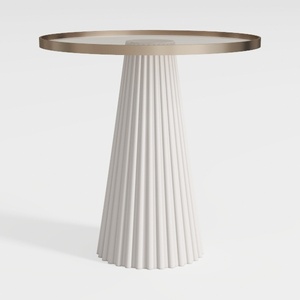
Modern Minimalist Fluted Base Glass Top Side Table 3D Model
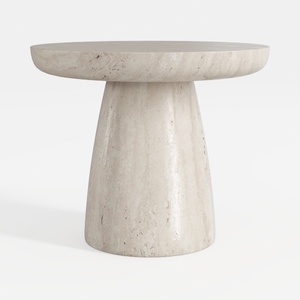
Minimalist Travertine Round Side Table 3D Model


Minimalist Solid Wood Accent Cabinet with Textured Top 3D Model
Homestyler is an exceptional online home design platform perfect for both beginners and seasoned designers. With its user-friendly design tool, stunning 3D renderings, a wealth of design projects, and helpful video tutorials, you can effortlessly create and visualize your ideal space. Transform your home today!
立即免费设计
































