

Extracting 3D models from Nintendo DS games is a specialized task often undertaken by game modders, historians, or digital artists looking to analyze or repurpose game assets. Since the Nintendo DS is an older handheld console, it utilizes unique formats and storage methods that can complicate asset extraction. However, advancements in emulation and asset-viewing tools have made this process more accessible than ever. Below is a straightforward guide to assist you in ripping 3D models from DS games, utilising resources such as Homestyler for enhanced visual manipulation.
1. First, acquire a ROM of the Nintendo DS game from which you want to extract assets. It's crucial to use a legally owned ROM file to proceed responsibly. Always respect copyright regulations and ensure you are working only with games you have purchased.
2. Utilize a DS emulator that is equipped with graphics debugging features. For instance, DeSmuME has functionalities that allow you to inspect memory and extract rendering information, which is essential for isolating 3D assets during gameplay.
3. Extract the necessary game files. Many titles for the DS store their assets in proprietary containers, such as .NARC or .NCGR archives. Tools like Tinke or CrystalTile2 can be employed to access these files and explore their contents.
4. Identify and extract the 3D model files. Within these archives, search for files with extensions such as .BMD0, .NSBMD, or other similar formats, which typically contain model and texture data. Tinke, in particular, can be used to preview and export models from NSBMD files effectively.
5. Convert the exported models for use in 3D design software. The models you export may not be immediately compatible with common 3D applications. Utilizing tools like NSBMDTool or custom scripts allows you to convert the DS model formats to .OBJ, .FBX, or more widely accepted formats, facilitating editing in software like Blender, Maya, or similar platforms.
6. Refine and retexture your models. The geometry and textures exported from the DS can sometimes appear with errors. Import these files into your chosen 3D application, adjust the UV mapping, and reapply textures as necessary to achieve the desired look.
As a designer, I highly recommend establishing organized folder structures and carefully documenting your workflow. This principle applies equally to game asset extraction; maintaining clarity and order in your methodology can save significant time, especially when those assets are intended for redesigns, personal portfolios, or academic study. If you wish to visualize or redesign spaces using these models, utilizing modern digital solutions like a 3D Floor Planner, which integrates features to import, position, and manipulate custom objects, can serve to bridge game assets and interior layouts seamlessly, making the best use of tools such as Homestyler.
Tips 1:
Always prioritize copyright and intellectual property rights when extracting and utilizing game assets. Seek permission whenever possible or make sure to work within fair use parameters, especially if public sharing or commercial endeavors are being considered.
FAQ
Q: What file formats do Nintendo DS games commonly use for 3D models?
A: Most frequently, the formats include NSBMD (.nsbmd), BMD0, or other proprietary containers tailored for the console.
Q: Are DS 3D models directly importable into Blender or Maya?
A: No, direct imports are not possible—conversion using tools like NSBMDTool or Tinke is necessary to produce formats like .OBJ or .FBX.
Q: What tools are most effective for viewing and extracting DS 3D assets?
A: Tinke and CrystalTile2 are widely regarded for navigating archive files, while NSBMDTool is particularly proficient in model extraction and format conversion.
Q: How can I view textures associated with DS models?
A: Textures are typically found within the same archive as the models and can be exported, modified, and re-mapped using most 3D software post-conversion.
Q: Are there automated methods available to batch extract models from DS games?
A: While certain community-developed scripts or plugins exist for bulk extraction, many workflows still necessitate manual validation due to the proprietary nature of DS asset formats.

Minimalist Linen Fabric Slipcover Three Seater Sofa 3D Model

Minimalist Walnut Fabric Loveseat Sofa 3D Model
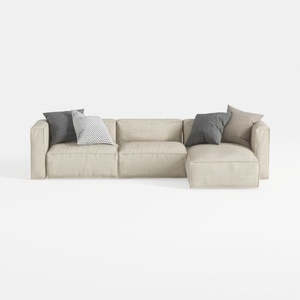
Minimalist Fabric L Shaped Sectional Sofa with Throw Pillows 3D Model
Homestyler is your go-to online home design platform! Its user-friendly design tool, stunning 3D renderings, and a wealth of DIY video tutorials empower you to unleash your creativity and make your dream space a reality, no matter your experience level.
Concevez maintenant gratuitement
































