

Extracting 3D models from iPhone games presents exciting creative opportunities for artists, modders, and individuals eager to explore digital assets. Nonetheless, it is crucial to be aware that repurposing or sharing these models might violate copyright laws unless explicitly allowed by the game's publisher. This guide focuses solely on the technical aspects intended for educational purposes.
Step 1: Utilize Jailbreak or Developer Tools
Many iPhone games secure their 3D assets within protected directories. To gain access, you'll need to either jailbreak your device or utilize Apple’s developer tools, such as Xcode, to operate applications within a development environment. Exercise caution, as jailbreaking can void your warranty and pose security risks.
Step 2: Access Game Files
Once file access is established, employ file management applications such as iFile, Filza, or desktop tools like iMazing to navigate to the game's installation folder, typically located at /var/mobile/Containers/Data/Application/[App GUID].
Step 3: Recognize 3D Model Formats
In iOS games, common file formats include .obj, .fbx, .dae, .gltf, along with proprietary or Unity assets (for instance, .unity3d and .asset files). You can identify them by their extensions or by opening the files in a text editor to glean basic file header information.
Step 4: Extract and Convert Assets
Transfer the model files to your computer. If the files are in proprietary or Unity formats, consider using tools such as AssetStudio, Unity Assets Bundle Extractor (UABE), or relevant scripts found on GitHub to extract or convert them into widely used formats like .fbx or .obj.
Step 5: Import Models into 3D Software
After conversion, utilize software like Blender, 3ds Max, or Maya to import the 3D models for examination, learning purposes, or to create your own references. Be aware that textures may need to be extracted separately and mapped onto the models in your chosen 3D software.
As a designer, I frequently analyze gaming assets to enhance my understanding of spatial layouts and digital construction methods. Once you have gathered the models, employing a 3D Floor Planner such as Homestyler can allow you to visualize and experiment with the integration of these assets into real interiors or to develop your innovative designs.
Tips 1:
Respect the intellectual property of original creators by refraining from using extracted models commercially or sharing them without permission. Always consult the game’s End User License Agreement (EULA) and terms of service before attempting to extract any content.
FAQ
Q: Is it legal to extract 3D models from iPhone games?
A: Extracting for personal educational purposes is generally tolerated, however, distributing or utilizing models commercially without proper authorization constitutes a copyright infringement. Always check the game’s licensing agreements before proceeding.
Q: Which tools can facilitate the extraction of Unity game assets?
A: Tools like AssetStudio and Unity Assets Bundle Extractor (UABE) are renowned for their effectiveness in extracting and converting Unity-based assets from game files.
Q: Is it possible to extract models without jailbreaking my iPhone?
A: Direct access to an app's files usually necessitates jailbreaking, although developers with appropriate provisioning profiles might access their own created builds without needing to jailbreak.
Q: What file formats should I look for within iOS game directories?
A: Typical 3D model formats include .fbx, .obj, .dae, .gltf, along with Unity-specific formats such as .unity3d and .asset files.
Q: How can I add textures after extracting a 3D model?
A: Textures are typically stored alongside the models. After extraction, you will need to manually assign the image files to their corresponding material slots in your 3D software.
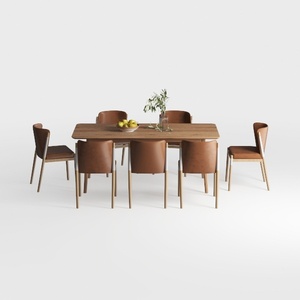
Modern Solid Wood Leather Upholstered 8 Seat Dining Table Set 3D Model

Casabianca Furniture NEST High Gloss White Lacquer

Minimalist Solid Wood Round Dining Table Set with Fabric Armchairs 3D Model
If you're looking to transform your space effortlessly, Homestyler is your go-to online home design platform. With an intuitive design tool, stunning 3D renderings, and a wealth of DIY video tutorials, it empowers you to turn your dream home into reality, no matter your experience level!
Design Now for FREE
































