

Throughout my career, I have installed numerous TV walls in various settings, such as apartments, lofts, and family homes. Each successful installation starts with careful planning: prioritize structure first, comfort second, and manage cables right from the start. Properly mounted TVs not only enhance viewing comfort but also reduce clutter and can change the way you utilize your living space. For optimal ergonomics, maintaining a relaxed viewing angle reduces neck strain, and guidelines such as those from WELL v2 emphasize the importance of comfortable visual ergonomics, starting with the appropriate height and seating-to-screen distance. Additionally, it is crucial to adjust for brightness by reducing glare and matching screen luminance with surrounding ambient light—principles recommended by IES for protecting visual comfort (refer to WELL v2 Visual Lighting; IES glare control principles).
Observing real-world behavior reinforces the importance of correct sizing and positioning. Research from Steelcase shows that posture and clear visual access contribute significantly to comfort and engagement; consistently poor angles can lead to fatigue. In a living room setting, positioning the screen at the center of the primary seating area and ensuring unobstructed sightlines are pivotal. Furthermore, color and mood influence function as well—Verywell Mind suggests that cooler shades can create a calming effect and help alleviate visual fatigue, which is beneficial when designing the wall around a bright screen. For comprehensive insights into visual ergonomics and promoting healthy environments, you can refer to WELL v2 (v2.wellcertified.com) and IES standards (ies.org/standards).
Evaluate Your Wall and Structure
- Use a reliable stud finder to locate studs; most TVs require two studs positioned 16 inches apart. It's essential to avoid mounting solely on drywall. For masonry walls, appropriate anchors and a hammer drill will be necessary.
- Ensure the wall can support the combined weight of the TV, mount, and any attached soundbars. Also, confirm the mount's VESA pattern and load rating while maintaining a safety margin of about 25–30%.
- Verify electrical and cable routing: plan for an outlet behind the TV or a code-compliant recessed outlet. Avoid running standard power cords inside walls; instead, use rated power kits or add a dedicated outlet.
Select the Appropriate Mount Type
- Fixed mounts provide a slim profile and are ideal for straight-on viewing with minimal glare.
- Tilt mounts help mitigate reflections from windows and ceiling lights and are particularly suited for installations above fireplaces (though mounting above an active fireplace is generally not advised because of heat and neck angle concerns).
- Full-motion (articulating) mounts are perfect for multi-seating areas, corner walls, or open floor plans. Make sure the arm's extension clears surrounding cabinetry and verify the bolt engagement depth according to manufacturer specifications.
Determine Viewing Height, Distance, and Sightlines
- Eye height should place the center of the screen at approximately seated eye level—typically 40 to 42 inches from the floor for standard sofas. If you often recline, lower this by a few inches.
- For viewing distance, a general guideline for 4K is 1.2 to 1.6 times the screen diagonal; for a 65-inch screen, this translates to about 6.5 to 8.5 feet. Closer distances can enhance immersion, but require careful glare management.
- Check sightline geometry to ensure no shelf edge or mantel obstructs the centerline. Use painter's tape to test at proposed heights from each primary seat.
Mark, Level, and Pre-Drill
- Employ a high-quality level and, if available, a template. Mark both top and bottom lines for the mounting bracket to prevent any drift during installation.
- Pre-drill pilot holes into the studs (using a typical size of 3/16 to 5/32 inch for lag bolts). In older homes, confirm the studs may not be entirely plumb; always re-check with the level after securing the first bolt.
- For masonry walls, utilize sleeve or wedge anchors rated for shear load; make sure to clear dust from the holes for proper adherence.
Install the Bracket and Safely Hang the TV
- Fasten lag bolts following the manufacturer's torque recommendations; do not overtighten as this may damage the drywall. Use washers if specified.
- Attach the TV adapter arms to the back of the screen while it's resting on a padded surface. Ensure the VESA holes align and tighten all fasteners evenly.
- With assistance, lift and securely latch the TV onto the wall plate. Don't forget to engage all safety locks or tabs—this is often a step that DIYers overlook.
Organize Power and Cables Neatly
- Utilize in-wall rated HDMI, Ethernet, and CL2/CL3 speaker cables when routing through cavities. For power, either install a recessed outlet behind the TV or opt for a code-compliant power relocation kit.
- Include a cable pass-through grommet positioned low on the wall near the console to maintain tidy visible runs.
- Label both ends of each cable. Ensure to leave a gentle service loop to facilitate full-motion arm extensions without placing stress on the cables.
Manage Glare and Balance Ambient Light
- Position the screen perpendicular to major windows whenever possible. A tilt mount can help reduce overhead reflections.
- Combine ambient light (2700–3000K warm LEDs for living rooms) with dimmable bias lighting set behind the TV to diminish perceived contrast and eye strain.
- Opt for matte paints around the screen; bright, glossy surfaces may reflect glare into the viewing area.
Incorporate Sound and Components
- When adding a soundbar, select a bracket that connects with the TV's VESA or wall plate, ensuring the soundstage aligns perfectly with the screen.
- For surround speakers, utilize in-wall rated cables such as 14/2 or 14/4 and plan their heights to be around ear level when seated. Additionally, keep subwoofers positioned away from shared walls in apartments to minimize sound transfer.
- Ensure proper ventilation for your equipment; enclosed cabinets require airflow, so maintain at least a 2-inch clearance and consider using quiet fans for heat-producing receivers.
Design the TV Wall Aesthetically
- Create a visual balance by pairing the dark mass of the screen with shelves, artwork, or acoustic panels. Aim for a visual ratio of 60/30/10: 60% calm background (wall), 30% focal points (TV, shelving), and 10% decorative accents.
- Be mindful of color psychology; calming neutrals (soft gray-green, muted blue) are effective, while a warm accent (like terracotta or ochre) injects energy without glare. Keep textures matte or eggshell near the screen.
- Maintain cable-free zones for a tidy appearance—prioritize concealment before layering on decoration.
Test, Adjust, and Childproof
- Use a streaming calibration pattern to adjust brightness, contrast, and sharpness settings. Avoid overly bright presets that can contribute to glare and visual fatigue.
- Reassess all fasteners after 24 hours, as wood fibers may settle. Ensure that arm extensions do not pinch the cables.
- For childproofing, lock tilt mounts and ensure that no reachable console edges invite climbing.
Optional: Visualize Your Layout Before Installation
If you're uncertain about height, distance, or furniture arrangement, utilizing a digital layout tool like Homestyler can assist in visualizing sightlines, clearance for full-motion arm movements, and overall wall composition before making any irreversible decisions.
Checklist for Step-by-Step Installation
1) Confirm wall supports, studs or masonry, and your electrical plans.
2) Choose the appropriate mount type and verify the VESA/load rating.
3) Outline the TV's footprint with tape to confirm desired height and distance.
4) Level the wall and mark where to drill for the mounting bracket; proceed to pre-drill.
5) Secure the wall plate and attach the TV arms.
6) Carefully hang the TV on the wall and secure it in place; ensure safety locks are engaged.
7) Organize power and signal connections using in-wall rated equipment.
8) Balance the lighting and introduce bias lighting if necessary.
9) Calibrate settings, tidy up cables, and style your wall.
Frequent Mistakes Encountered
- Mounting the TV too high—anything above 45 inches at the center can often lead to neck strain unless the seating area is deep and reclined.
- Waiting until the first sunny day to address glare can be problematic. It’s wise to test in various lighting conditions.
- Using cables that are not rated for wall cavities poses safety and code risks—not just a concern for neatness.
- Neglecting proper ventilation for equipment, particularly game consoles and receivers, can lead to overheating.
Common Questions
The center of the screen should be positioned approximately 40 to 42 inches above the floor for standard sofa seating, making minor adjustments for unusually low or high sofas.
For 4K displays, the distance should be about 1.2 to 1.6 times the screen's diagonal measurement. For instance, a 65-inch TV corresponds to a viewing distance of approximately 6.5 to 8.5 feet, only approaching closer if glare is under control.
Avoid large TVs unless they are properly anchored into wood studs or masonry; while specialty anchors exist, I recommend them solely for smaller models and with manufacturer approval.
I generally steer clear of mounting above a mantel, unless it effectively deflects heat while allowing for a sufficient viewing distance to maintain comfortable neck angles. Always verify the surface temperature during use.
Use dim, warm ambient lighting (2700–3000K) along with soft bias lighting positioned behind the screen. Manage reflections from windows and overhead lighting using shades or tilt mounts.
Only utilize in-wall rated power relocation kits for electrical needs, and use CL2/CL3-rated speaker wire along with in-wall rated HDMI/Ethernet cables. Standard cords should never be placed in walls.
Not if correctly secured into studs with reliable lag bolts and an appropriate load rating, ensuring cables remain slack to prevent torque when the arm is fully extended.
For cable management, consider using paintable surface raceways, low-profile power bridges, or a furniture console imbued with integrated cable channels, maintaining minimal vertical runs.
Opt for matte or eggshell finishes in tranquil neutrals to mitigate glare. Cool colors (muted blue or green) promote restfulness, while introducing small warm accents delivers depth.
For proper anchoring, use specialty toggle anchors or install a plywood backer board that spans multiple studs, then secure the mount. Always verify load ratings meticulously.
Ensure that the VESA pattern (e.g., 400×400) matches and that the mount’s weight capacity exceeds the TV's by at least 25 to 30%. Also check compatibility with curved or very thin models.
Tape a cardboard cutout to represent the proposed height, sit in all seating locations during the day and evening, and assess reflections with all lights on. Adjust accordingly before finalizing placement.

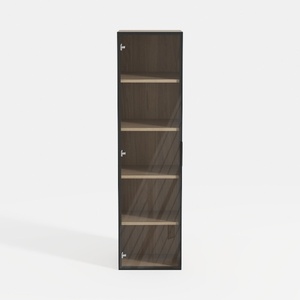
Modern Black Frame Solid Wood Open Shelf Tall Cabinet 3D Model

Modern Minimalist Black Metal Round Nesting Coffee Table 3D Model
Looking to transform your space? Homestyler is your ultimate online home design partner! With its easy-to-use design tool, stunning 3D renderings, a plethora of design projects, and engaging video tutorials, you can effortlessly create and visualize your dream home. Get started today!
Concevez maintenant gratuitement
































