

To enhance your 3D model for successful printing, the initial step is verifying that your design aligns with the requirements of the 3D printing process. Are you aware of the typical mistakes that often result in unsuccessful prints? Let's explore the necessary measures to steer clear of these issues and create high-quality prints that match your vision.
Know Your 3D Printer:
Each type of 3D printer possesses distinctive specifications, including build size, layer height, and material compatibility. Grasping these elements is essential. Being aware of your printer's restrictions can help avoid design errors. Have you ever attempted to print a model that exceeded the printer's capacity? Designing within the limits of your printer is key!
Inspect Your Model for Flaws:
Common issues with 3D modeling software can lead to defects such as holes, non-manifold edges, or incorrect normals. To secure a clean print, utilize tools like Netfabb or Meshmixer to fix these glitches. Have you reviewed your model for flaws before? This vital step can prevent disappointment during printing!
Optimize the Orientation of Your Model:
The positioning of your model during the printing phase greatly influences its strength and surface finish. Thoughtfully arranging your model can reduce the necessity for support structures. Have you thought about how your model will sit during the print? Planning ahead regarding orientation can conserve time and materials!
Select Optimal Print Settings:
The selection of print settings, including layer thickness and infill ratio, can dramatically affect the final product's quality. For instance, opting for a higher infill ratio leads to a sturdier model but uses more filament. How are your current settings? Trial and error can help you discover the ideal combination!
Experiment with a Smaller Prototype:
If your design is intricate, think about producing a smaller prototype to evaluate the print settings and verify the integrity of your design. This economical strategy can reveal problems before proceeding with a full-scale print. Have you ever made a prototype? It can save significant resources in the long term.
FAQ
Q: What is the optimal orientation for 3D printing? A: Generally, the ideal orientation relies on the model's geometry, but placing the largest flat face down often provides better stability and minimizes the need for support material.
Q: Why is it essential to check for model errors prior to printing? A: Verifying for model errors curbs the likelihood of print failures and material wastage, ensuring success right from the outset. Consider using Homestyler to assist in visualizing and adjusting your model for optimal results!


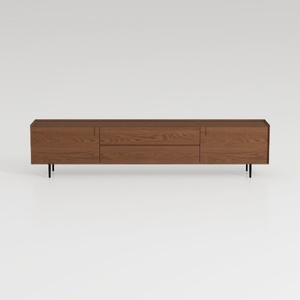
Nov Trending Search Model-TV Stand 20

Minimalist Linen Fabric Extra Large Sofa With Throw Pillows And Blanket 3D Model
Homestyler is your go-to online home design platform! With its easy-to-use design tool, stunning 3D rendering, and a wealth of inspiring projects and DIY video tutorials, you can effortlessly transform your space and explore your creativity, no matter your skill level.
Desain sekarang Gratis
































