


Slicing 3D models for printing is an essential step that bridges the gap between creating a 3D design and transforming it into a physical object. This process, known as slicing, involves converting a 3D model—commonly found in formats such as STL or OBJ—into manageable layers that a 3D printer can interpret, typically using G-code instructions. Here’s a comprehensive guide on slicing your 3D models with efficiency in mind:
As a designer, it is crucial to understand how the slicing procedure translates your digital creations into physical manifestations. The connection between the virtual realm and tangible limitations opens up fascinating avenues for both innovation and functionality. For instance, when conceptualizing intricate interiors, utilizing a tool like Homestyler for 3D floor planning enables you to visualize the interaction of elements prior to any physical construction—similar to reviewing slices of a model before commencing printing.
Tip 1:
Before slicing your 3D model, always make sure to check for non-manifold edges, small holes, or inverted normals. These common issues can lead to errors during the slicing process or ultimately result in failed prints. Employ the analysis features available in your slicer, or utilize modeling software to repair your mesh to ensure dependable and high-quality outcomes.
FAQ
Q: What does slicing mean in the context of 3D printing?
A: Slicing is the method of transforming a 3D model into thin layers, which creates a series of instructions (known as G-code) that directs a 3D printer during the production process. Q: Is special software necessary for slicing 3D models?
A: Yes, you require a dedicated slicer program, such as Cura, PrusaSlicer, or others tailored for the 3D printing workflow. Q: Can I adjust layer height after slicing my model?
A: No, you must establish your desired layer height before initiating slicing. If you wish to alter this setting, you'll need to re-slice the model with the new parameters. Q: Why is the orientation of the model pivotal during the slicing process?
A: Proper orientation enhances print quality, strength, and minimizes the necessity for support structures. Additionally, it can accelerate the overall printing process. Q: Does the slicing process impact material consumption?
A: Absolutely! Slicing configurations, such as infill percentages, shell thickness, and support structures, significantly influence the quantity of filament or resin utilized during the printing operation.


Minimalist Solid Wood Accent Cabinet with Textured Top 3D Model

Bohemian Rattan Fabric Round Daybed with Decorative Throw Pillows 3D Model
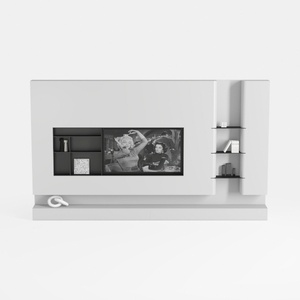
Minimalist White Wall Mounted TV Stand Cabinet With Open Shelves 3D Model
Homestyler is the ultimate online design platform for transforming your home. With an easy-to-use design tool, stunning 3D renderings, inspiring design projects, and helpful video tutorials, it empowers you to unleash your creativity and bring your design dreams to life effortlessly!
Design Now for FREE
































