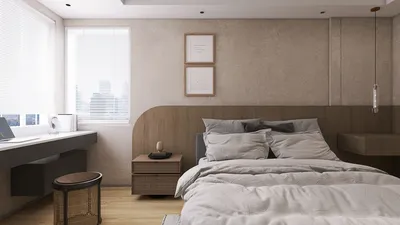


Embarking on a journey to create 3D models on Windows 10 can be thrilling for design lovers! Whether your goal is to design intricate characters, imaginative architectures, or various objects, mastering the art of 3D modeling can lead you to infinite opportunities. Here’s how you can kick off your adventure with tools like Homestyler.
To begin, let’s explore some essential software options available for 3D modeling. Programs such as Blender, SketchUp, and Autodesk Fusion 360 serve as excellent resources for both novices and seasoned professionals. Blender boasts impressive features for crafting vivid visualizations and is available as a free download! On the other hand, SketchUp is celebrated for its user-friendly interface, making it an outstanding choice for those stepping into the realm of 3D design.
Before jumping straight into modeling, take a moment to familiarize yourself with the interface of your selected software. Understanding the available tools can significantly reduce the learning curve. Don't shy away from checking out tutorials on platforms like YouTube or niche forums, where the community is often eager to support newcomers on their creative journey!
Key Strategies for Crafting 3D Models
1. Begin with Basic Shapes: Especially when you're starting your modeling exploration, utilize simple forms like cubes and spheres as building blocks for more intricate designs. This strategy enables you to understand the basics of 3D space and how to manipulate objects effectively.
2. Stay Consistent with Practice: In the world of 3D modeling, regular practice is as vital as learning to play a musical instrument. Dedicate some time each day to practice your skills, whether by refining an existing model or embarking on a fresh project. This commitment will significantly bolster your expertise.
3. Play with Textures: The moment you introduce textures is when your model truly begins to shine! Experiment with various materials and colors to inject depth and realism into your creations. Many software options, including Homestyler, offer pre-made textures that can be easily applied to your models.
Common Questions
Q: What is the most beginner-friendly software for 3D modeling on Windows 10? A: Beginners often find SketchUp to be the simplest due to its easy-to-navigate interface. However, Blender also presents a powerful free option, though it may come with a steeper learning curve.
Q: Is it possible to create animations using 3D models? A: Absolutely! Numerous 3D modeling programs, particularly Blender, have animation features that allow you to bring your designs to life in motion.
Dive into the world of home design with Homestyler! This user-friendly platform offers an amazing online design tool, stunning 3D renderings, and a plethora of inspiring design projects. Plus, its DIY video tutorials make it easy to transform your space, no matter your experience level.
Design jetzt kostenlos
































