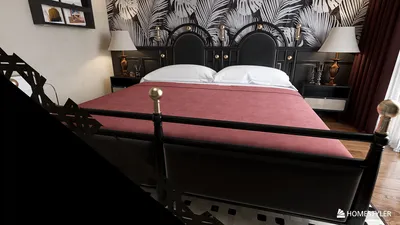


Creating a basic 2D floor plan is a crucial initial step in any interior design project. Whether you are refurbishing your existing home or planning out a new area, an effective floor plan allows you to visualize the space's layout and functionality. In this guide, I will help you navigate the process of designing a simple 2D floor plan, ensuring that you utilize your space efficiently with the help of tools like Homestyler.
Understanding the Fundamentals of 2D Floor Plans
A 2D floor plan offers a bird's-eye view of a space, illustrating the configuration of rooms, walls, windows, and doors. This type of scheme is vital for effectively optimizing your layout and arranging your furniture. Before starting the design phase, collect the required tools and relevant measurements of your area.
Essential Tools for Crafting a 2D Floor Plan
1. **Graph Paper**: A conventional approach involves using graph paper to draft your floor plan accurately to scale.
2. **Digital Platforms**: There are several software options available that allow for the creation of detailed 2D floor plans with ease. Consider utilizing free online tools like Homestyler, SketchUp, or RoomSketcher.
Step-by-Step Guide to Designing Your Floor Plan
Begin by measuring the dimensions of your room, including walls, windows, and doors. Note these measurements to ensure precision in your design process.
Choose a scale for your floor plan. For example, 1/4 inch on paper may represent 1 foot in reality. This approach helps maintain accuracy in your drawing.
Draw the external walls of your space according to the scale you selected, ensuring the dimensions reflect your actual measurements.
Following that, add interior walls based on your design requirements. Consider how you plan to partition the area and any specific rooms you wish to include.
Indicate the locations of doors and windows on your floor plan. Think about how these features will influence the flow of movement and natural illumination within the space.
Now, for the enjoyable part! Sketch in your furniture and fixtures to visualize how they will integrate into the layout. For smaller areas, opt for multifunctional furniture to enhance utility.
Evaluate your design and make any adjustments as needed. Once you are pleased with your layout, finalize your floor plan. If you're using digital tools like Homestyler, ensure to save and export your design for easy access.
Common Pitfalls to Avoid
1. **Disregarding Scale**: Always adhere to a consistent scale to guarantee that the furniture is proportionate to the space.
2. **Overloading**: Avoid cramming too much furniture into a compact area, as this can result in clutter and discomfort.
3. **Ignoring Flow**: Think about how individuals will navigate through the space; there should be ample room for movement.
Further Resources for Floor Plan Creation
Explore tutorials on YouTube or design blogs for additional guidance. Numerous online platforms also provide templates that can facilitate your floor planning effort.
FAQ
Q: What software can I utilize to design a 2D floor plan? A: You can employ tools like Homestyler, SketchUp, or RoomSketcher for straightforward and effective floor plan development.
Q: How can I ensure that my furniture is compatible with my floor plan? A: Measure your furniture and assess it against your floor plan to guarantee that everything will fit well.
Q: Is it possible to create a floor plan without specialized software? A: Absolutely! You can manually draft your floor plan with graph paper or use free online resources.
Welcome to Your Go-To 2D Floor Planner
Concevez maintenant gratuitement
































